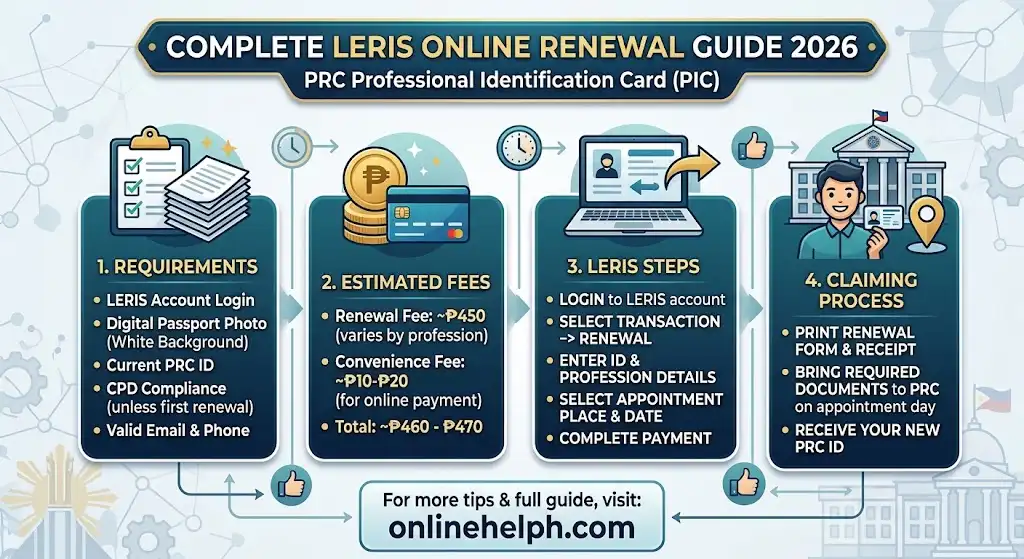
If your Professional Identification Card (PIC) is approaching its expiry, you can handle much of the leris prc renewal process online through the Professional Regulation Commission’s Licensure Examination and Registration Information System (LERIS). The platform lets registered professionals start their renewal transaction, select an appointment, arrange payment, and access other PRC services without having to begin the process at a physical office.
The official portal for leris prc renewal is the PRC LERIS online service.
Beyond licence renewal, LERIS supports several other transactions, including licensure examination applications, initial registration, certification requests, duplicate PIC applications, oath-taking, petitions, and professional licence verification.This
leris prc renewal 2026 guide walks you through the key requirements and procedures, including account registration and login, CPD compliance, appointment scheduling, payment, renewal forms, applicable fees, and common issues you may encounter along the way.
What Is PRC Renewal?
leris prc renewal refers to the process of renewing a Professional Identification Card (PIC) issued by the Professional Regulation Commission. The PIC serves as an important identification document for licensed professionals and confirms their registration with the appropriate Professional Regulatory Board.
PRC states that Professional Identification Cards generally have a three-year validity period and are renewable during the professional’s birth month.
Instead of visiting a PRC office just to begin the application, registered professionals can use LERIS to start their leris prc renewal transaction online. The system is designed to make the application, appointment, and payment process more convenient. visit for homepage
Official PRC Renewal Portal
For safety, always begin your leris prc renewal through the official PRC website or LERIS portal. Avoid websites that imitate government pages or ask you to provide your PRC password.
Open the Official PRC LERIS Portal
The official LERIS homepage currently lists Renewal of Professional Identification Card as an online service for registered professionals.
You can also visit the main PRC website for announcements, policies, professional regulations, and updates:
Professional Regulation Commission Official Website
PRC Renewal Requirements 2026
Before starting your leris prc renewal , prepare the information and documents that may be required for your particular profession.
Basic requirements
Generally, you should have:
- An active LERIS account
- Registered email address and password
- Existing PRC/PIC details
- Professional Identification Card or license information
- Valid government-issued identification when required
- Recent passport-size photograph with the required specifications
- Payment for the applicable renewal fee
- CPD compliance or an accepted CPD undertaking, depending on current PRC rules
- Additional documents required by your specific Professional Regulatory Board, if applicable
PRC’s official renewal guidance notes that professionals should present CPD certificates showing earned credit units when claiming their PIC. Professionals who cannot meet the required CPD units may be allowed to renew through an undertaking to complete the required units during the next compliance period.
CPD requirement for PRC Renewal
CPD, or Continuing Professional Development, is an important part of leris prc renewal for many licensed professionals.
However, CPD requirements can change through PRC policies and resolutions. For 2026, PRC announced that acceptance of a CPD undertaking for PIC renewal has been extended until December 31, 2026.
Therefore, applicants should check the latest PRC announcement and the requirements applicable to their profession instead of relying on outdated social-media posts or third-party websites.
PRC Renewal Photo Requirements
A compliant photograph is another important part of the LERIS process. Your photo should follow the specifications displayed by PRC when you upload it.
The photo information commonly requested for PRC transactions includes a recent image with a plain or white background and appropriate professional appearance. Make sure your image meets the current LERIS instructions before uploading it.
Do not upload a heavily edited, blurry, cropped, or inappropriate photograph because an image that does not meet PRC requirements can cause problems during processing.
How to Create a PRC LERIS Account
If you have never used LERIS before, you need to create an account before beginning your leris prc renewal l transaction.
Step 1: Visit the Official LERIS Website
Open your browser and go directly to:
Check the domain carefully before entering personal information.

Step 2: Click Register
On the LERIS homepage, select REGISTER.
The current PRC system asks users to provide personal information such as their first name, middle name, last name, suffix, gender, civil status, birthdate, email address, and password.

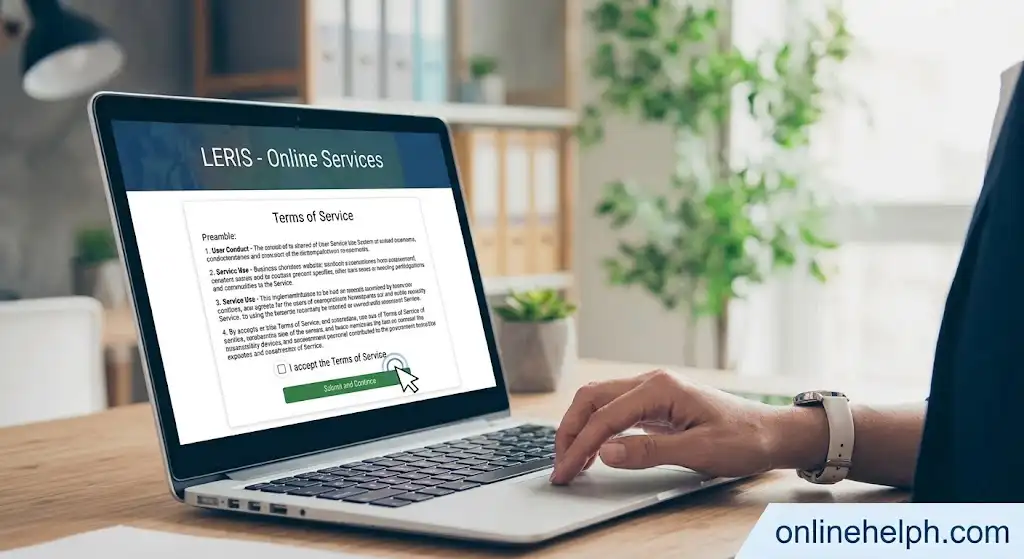
Step 3: Accept the Terms
Read the PRC Online Services terms and conditions. If you agree, select I AGREE to continue.
Step 4: Enter Your Personal Information
Enter your information accurately.
Your details should match your existing PRC records and identification documents. PRC specifically instructs applicants to enter details as printed on their Notice of Admission or Professional Identification Card when applicable.
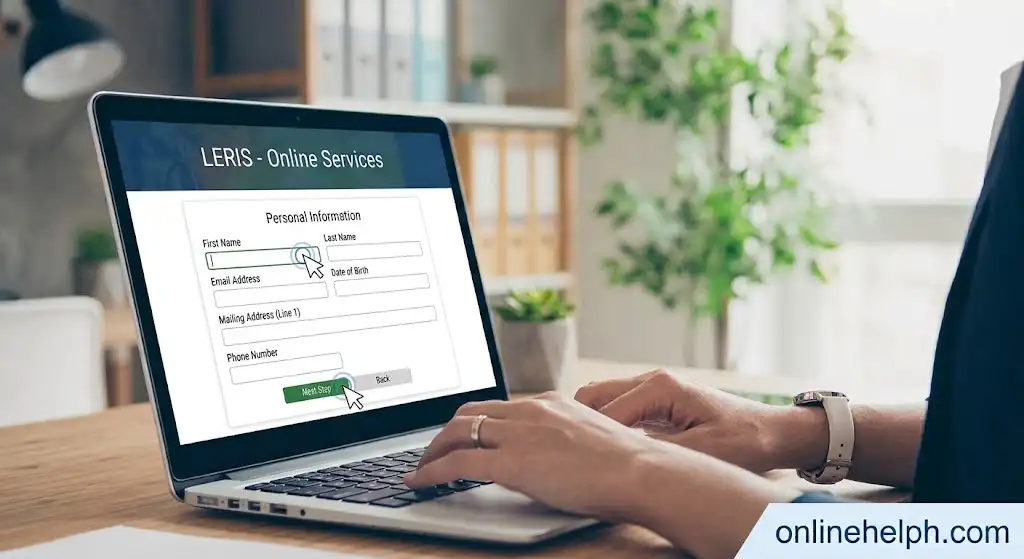
Pay particular attention to:
- Complete name
- Birthdate
- Gender
- Civil status
- Email address
- Password
- Other requested personal information
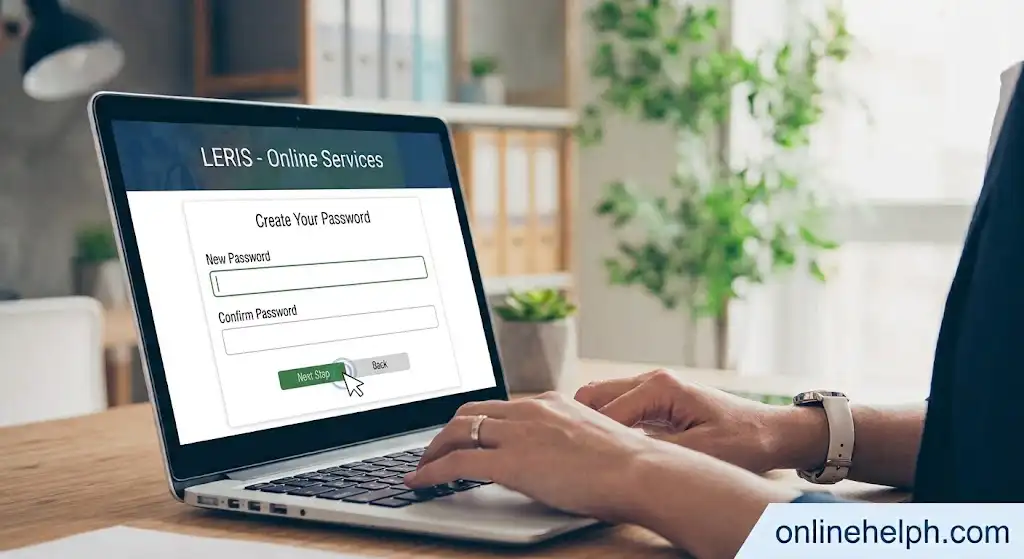
Step 5: Create Your Password
Choose a secure password that satisfies the LERIS requirements.
The current portal indicates that passwords must contain at least six characters, including a letter, a number, and a special character.
Keep your password private and do not share it with another person.
How to Login to PRC LERIS
Once your account has been created, you can use the SIGN IN option on the official LERIS website.
Enter your registered email address and password, then select SIGN IN.
If you cannot remember your password, use the FORGOT PASSWORD? option displayed on the portal.
PRC also provides an option for existing users who can no longer access their previously registered email address to request an email-address change through the system.
How to Update Your LERIS Profile
Before beginning leris prc renewal review your LERIS profile carefully.
Make sure your personal information, contact details, address, educational information, employment information, and other requested records are accurate.
This is important because incorrect information can create delays or require you to visit a PRC Regional Office for correction. The LERIS portal itself advises users to thoroughly review registration details because corrections may require a visit to the nearest PRC Regional Office.
PRC Renewal 2026: Step-by-Step LERIS Process
Once your LERIS account is ready and your profile information is complete, you can proceed with the actual leris prc renewal application. The process is primarily completed online, but you may still need to appear at your selected PRC office depending on the transaction and current requirements.
Step 1: Sign In to Your PRC LERIS Account
Visit the official PRC online portal:
Official PRC LERIS Portal
Click SIGN IN and enter your registered email address and password.
After successfully logging in, you will be taken to your LERIS dashboard. Review your profile before starting theleris prc renewal application.
Step 2: Select “Renewal”
From your dashboard, locate SELECT TRANSACTION.
Click it and choose RENEWAL from the available services.
The system will then display the information needed to continue yourleris prc renewall application.
Step 3: Enter Your Profession and License Details
Select your registered profession from the available list.
You may also need to enter your Professional Identification Card (PIC) number or other license information requested by the system.
Check every digit carefully before continuing. An incorrect license number or mismatched personal information can prevent the system from properly identifying your professional record.
If your details do not appear correctly, do not create another account simply to work around the problem. It is better to contact PRC or follow the instructions provided by LERIS.
Step 4: Review Your Renewal Information
Before proceeding, carefully review the information displayed by LERIS.
Check your:
- Full name
- Profession
- PRC license/PIC information
- Birthdate
- Contact information
- Address
- Other professional details
If everything is correct, continue with the leris prc renewal application.
If you notice an error, determine whether LERIS allows you to edit it online. Some corrections may require assistance from a PRC office.
Step 5: Choose Your PRC Renewal Appointment
One of the most important parts of the online leris prc renewal process is selecting where and when you will complete the transaction.
LERIS may allow you to select an appropriate PRC Regional Office, Service Center, or other available location.
Choose a location that is convenient for you and check the available appointment dates and times.
Appointment availability can change, so a preferred date may not always be available.
Tip: If your first choice is unavailable, check other dates or eligible PRC offices rather than repeatedly refreshing the same appointment page.
Step 6: Select a Payment Method
After selecting your appointment, LERIS will provide available payment options for your transaction.
Depending on the options currently displayed by the system, payment may be available through electronic or other authorized channels.
Your available payment methods can change, so always follow the payment options shown inside the official LERIS system rather than relying on an old list found on another website.
Before confirming payment, carefully check:
- Transaction type
- Amount due
- Payment reference number
- Appointment details
- Payment deadline, if displayed
Do not send money to a personal bank account or an unofficial payment channel.
Step 7: Complete the PRC Renewal Payment
Select your preferred authorized payment channel and complete the payment instructions.
After successful payment, keep your:
- Payment confirmation
- Official receipt or electronic receipt
- Transaction number
- Reference number
- Appointment details
These records can be useful if you experience a payment or transaction problem later.
A successful payment does not necessarily mean that every part of yourleris prc renewal has been completed. Check your LERIS account again to confirm the transaction status.
Step 8: Check “Existing Transactions”
Return to your LERIS dashboard and open EXISTING TRANSACTIONS.
Locate your leris prc renewal transaction.
This section is important because it allows you to review the transaction and access documents associated with your application.
If the payment has been successfully recorded, the transaction should show the appropriate status or available actions.
Step 9: Print the PRC Renewal Application Form
When the document becomes available, select the option to print or download your renewal document.
Print the leris prc renewal form and review it carefully.
Check that your:
- Name
- Profession
- License information
- Appointment location
- Appointment date
- Other transaction details
are correct.
Keep the printed document safe because you may need to present it when completing the transaction at the PRC office.
PRC Renewal CPD Requirement in 2026
CPD is one of the most common questions surrounding leris prc renewal
Continuing Professional Development requirements apply according to the rules established for licensed professionals. However, PRC’s current policies can change, so applicants should check the latest official announcement applicable to their profession.
For 2026, PRC announced an extension allowing the CPD undertaking for PIC renewal until December 31, 2026. This is particularly important for professionals who do not yet have the required CPD units.
Professionals should not assume that the same CPD arrangement will remain available indefinitely. Always check the latest PRC announcement before submitting your leris prc renewalapplication.
Check PRC Official Announcements
What Is a CPD Undertaking?
A CPD undertaking is an arrangement that may allow a professional to renew a PIC despite not having completed the required CPD units, subject to the applicable PRC rules.
This does not mean that CPD requirements are permanently removed.
If you renew under an undertaking, you may still be required to complete the necessary CPD units within the applicable period.
Because CPD policies may differ depending on the profession and current PRC regulations, check the instructions provided by your Professional Regulatory Board.
PRC Renewal Appointment: What Should You Bring?
After completing your online PRC renewal, prepare the documents required for your appointment.
A typical renewal appointment may require:
- Printed PRC renewal application form
- Current or previous PIC, when applicable
- Valid government-issued ID
- Proof of payment or transaction receipt
- CPD documents, if required
- CPD undertaking, if applicable
- Recent photograph, if specifically required
- Other documents required by your profession
Do not assume that every professional needs exactly the same documents. Some Professional Regulatory Boards have additional requirements.
Before traveling to the PRC office, check the latest official instructions.
Can Someone Else Claim Your Renewed PRC ID?
If you cannot personally appear, PRC rules may allow an authorized representative to process or claim certain documents under specific conditions.
An authorized representative may be required to present a Special Power of Attorney (SPA) together with valid identification documents.
Requirements can depend on the transaction, so check the current PRC instructions before sending someone on your behalf.
PRC Renewal Fees
The amount you pay for PRC renewal depends on the applicable professional category and current PRC fee schedule.
The commonly cited basic PIC renewal fees include:
| Renewal Category | Fee |
|---|---|
| Baccalaureate degree | ₱450 |
| Non-baccalaureate degree | ₱420 |
These figures should be treated as a guide rather than a substitute for the amount shown in your actual LERIS transaction.
Additional payment or service charges may apply depending on the selected payment channel.
For the most accurate amount, check the fee displayed by LERIS when you create your PRC renewal transaction.
How Long Does PRC Renewal Take?
The processing time can vary depending on the transaction, appointment location, document requirements, and PRC system status.
Online application makes the initial part of PRC renewal faster because you can create the transaction and appointment before going to the PRC office.
However, the actual release or availability of your renewed PIC can depend on the selected PRC location and current processing arrangements.
Avoid relying on unofficial websites that promise guaranteed same-day processing for an additional fee.
What If Your PRC Renewal Appointment Is Unavailable?
If LERIS does not show your preferred appointment date, try another available date or eligible PRC service location.
Appointment slots can become unavailable because of demand, office schedules, holidays, or system capacity.
Do not pay someone simply because they claim they can obtain a special appointment slot. Use the official LERIS system and PRC announcements.
What If You Paid but Your PRC Renewal Transaction Is Not Updated?
Sometimes a payment may take time to appear in an online transaction.
First, check your LERIS account under EXISTING TRANSACTIONS.
Keep your payment reference number and electronic receipt.
If the payment remains unresolved, contact PRC through its official channels and provide the relevant transaction information. Avoid making a second payment immediately unless PRC or the payment provider confirms that the first transaction failed.
Important Safety Tips for PRC Renewal
When completing your PRC renewal, protect your personal information.
Use the official website: Start from the PRC website or official LERIS portal.
Do not share your password: PRC personnel should not require you to publish or share your LERIS password with strangers.
Verify payment channels: Only use payment methods presented through authorized PRC/LERIS processes.
Keep transaction records: Save screenshots, receipts, reference numbers, and appointment details.
Check announcements: PRC requirements and procedures can change.
Avoid fake websites: Look carefully at the website address before entering your personal or payment information.
PRC Renewal vs. PRC License Verification
These two services are different.
PRC renewal is for a licensed professional who needs to renew an existing Professional Identification Card.
PRC license verification allows an individual, employer, or other authorized user to check whether a professional’s license information is valid according to the PRC’s online verification service.
You do not need to renew a license simply because someone wants to verify it.
How to Verify a PRC License Online
PRC provides an online verification service through its official system.
Go to the official LERIS portal:
PRC Online Services
Look for the VERIFICATION service and select the appropriate option.
Depending on the verification service, you may need information such as:
- Profession
- License number
- Date of birth
- Examination details
- Application number
Enter the requested information carefully and submit the search.
This service is useful for employers, professionals, agencies, and other users who need to check PRC registration information.
FAQS
Conclusion
Renewing your PRC licence does not have to be complicated when you know what to prepare and where to start. By using the official LERIS portal, checking your professional details, selecting the correct renewal transaction, arranging your appointment, and keeping your payment and application records, you can avoid many of the delays that commonly affect online applications.
Before your PRC renewal, take a few minutes to confirm that your documents, photo, CPD requirements or applicable undertaking, and personal information are in order. Requirements can vary between professions and may be updated by the Professional Regulation Commission, so relying on the latest official PRC announcements is always the safer approach.
Most importantly, use the official PRC website and LERIS portal rather than third-party services promising guaranteed appointments or faster processing. Once your renewal is submitted, keep your transaction reference, receipt, appointment details, and other relevant documents until the process is fully completed. A little preparation can make your PRC renewal 2026 much smoother and help you maintain your professional credentials without unnecessary hassle.