If you are a Filipino worker planning to work abroad, the DMW eRegistration system is one of the important online services you may need to use. The platform was previously associated with the Philippine Overseas Employment Administration (POEA) and is now operated under the Department of Migrant Workers (DMW).
The official DMW Online Services portal allows aspiring and existing Overseas Filipino Workers (OFWs) to create an eRegistration account, obtain an eRegistration Number, update personal and employment information, and access online services related to overseas employment. visit for homepage
What Is DMW / POEA eRegistration?
DMW eRegistration is an online registration facility for Filipino workers who are seeking or participating in overseas employment programs.
Because the system was historically associated with POEA, many applicants still search for terms such as POEA eRegistration, POEA eRegistration number, and POEA online services. Today, these services are handled through the DMW online system.
According to the official DMW registration page, the e-Services Portal provides online services for OFWs, foreign employers, recruitment agencies, and other entities involved in overseas employment. The eRegistration component is intended for Filipino worker applicants pursuing overseas employment through DMW-licensed agencies or the Government Placement Branch.
The information collected through the registration system can include:
This information helps support overseas employment processing, job matching, recruitment, and related DMW services.
DMW eRegistration vs. POEA eRegistration
If you are confused about whether you should use POEA eRegistration or DMW eRegistration, the simple answer is that POEA is the former agency name.
The Department of Migrant Workers (DMW) took over the functions previously handled by POEA. As a result, many older articles, search results, and user guides continue to use the term POEA eRegistration, while the current government portal uses DMW branding.
Therefore, searches for:
may refer to the same general registration process.
For current transactions, applicants should rely on the official DMW website and DMW online services rather than unofficial websites.
Official DMW website:
Department of Migrant Workers — Online Services
DMW eRegistration Requirements
Before starting your DMW eRegistration, prepare the information you will need for your account and profile.
The exact documents or information required can vary depending on the service you later use. However, the official registration system indicates that applicants provide personal, beneficiary, contact, educational, employment, identification, training, and related information.
Basic information to prepare
You should have the following information available:
Make sure your personal information is accurate and consistent with your official documents.
The DMW registration terms specifically require applicants to provide true and complete information and keep their registration data accurate and updated.
How to Register for DMW eRegistration
The DMW eRegistration process starts through the official DMW Online Services portal.
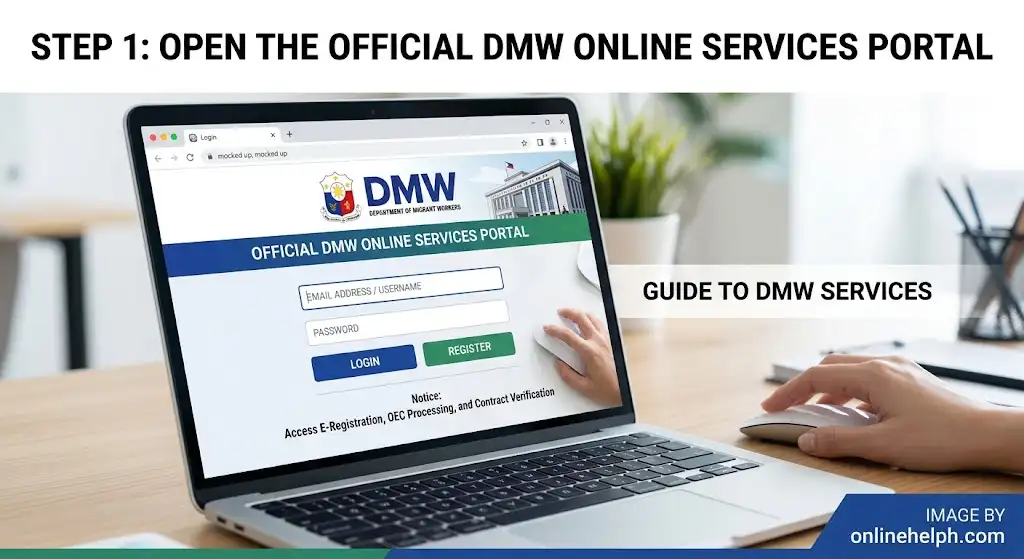
Step 1: Open the Official DMW Online Services Portal
Open your browser and visit:
DMW Online Services — eRegistration
You can also start from the official DMW website’s Online Services section.
Avoid entering your personal information on websites that imitate the DMW portal. Official site
Step 2: Select eRegistration
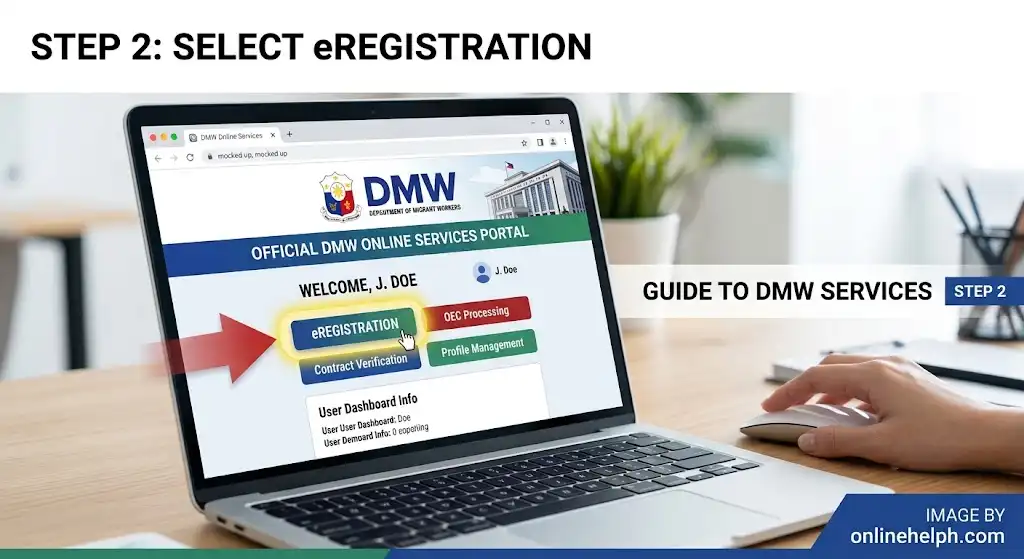
On the DMW Online Services page, look for the eRegistration option.
The official portal describes eRegistration as the service where users can sign up and obtain their eRegistration Number or log in to update their profile and important information needed for overseas employment.
Select the registration option if you do not already have an account.
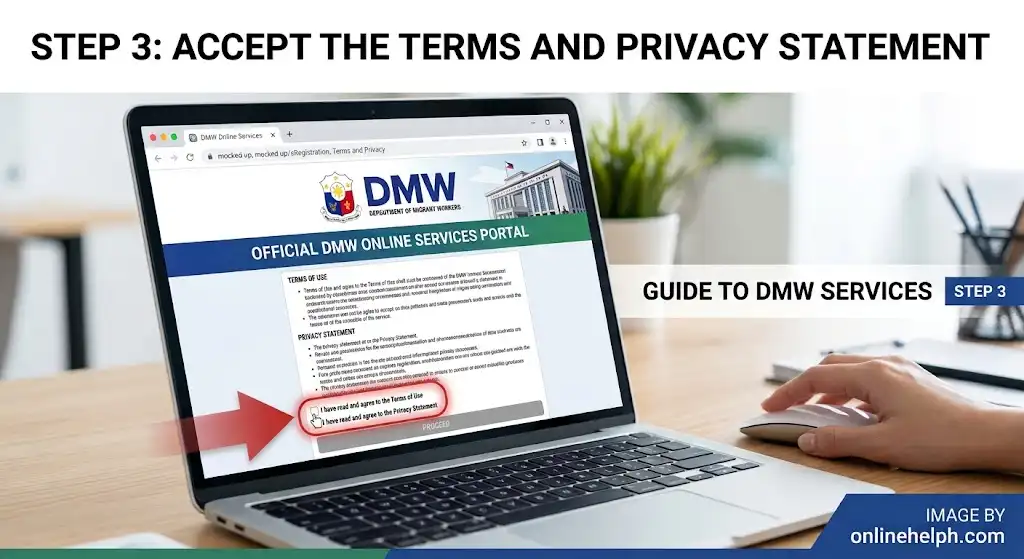
Step 3: Accept the Terms and Privacy Statement
Before creating your account, you will be shown the DMW terms of use and privacy information.
Read the conditions carefully and continue only if you agree.
The official registration page explains that the DMW e-Services Portal collects information necessary for services such as contract processing, job matching, placement, and recruitment.
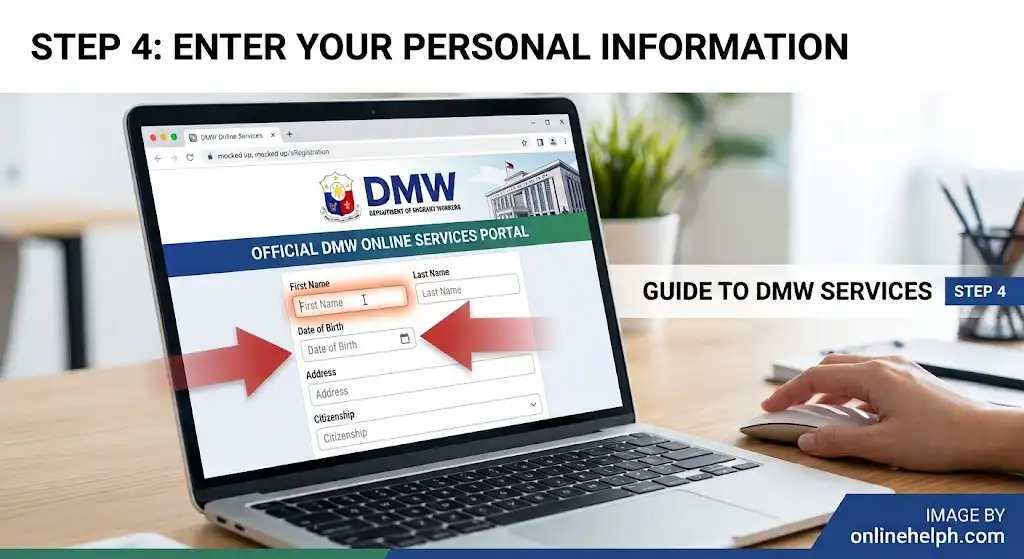
Step 4: Enter Your Personal Information
The registration form asks for basic information such as:
The official DMW registration page currently displays these fields in its Create ERegistration Account form.
Tip: Double-check your name and date of birth before submitting the form. Errors in your registration information can cause problems when your account is later used for overseas employment-related transactions.
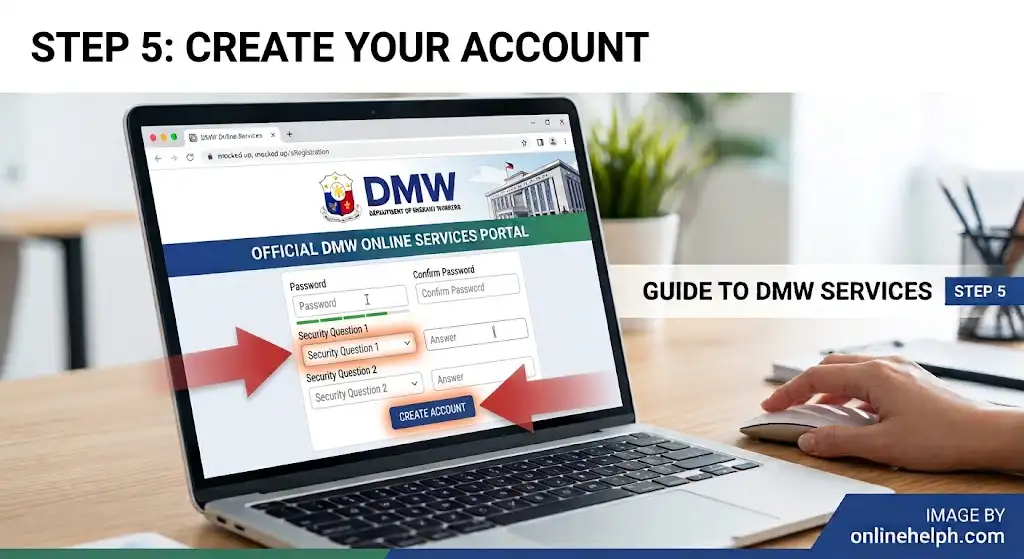
Step 5: Create Your Account
After entering the required information, follow the instructions displayed by the portal to complete registration.
Use an email address that you personally control and can access. This is important because your account may require email-based communication, password recovery, or other notifications.
The DMW portal also reminds users to create a password they can remember. Its current portal guidance says passwords should be alphanumeric and at least eight characters long.
How to Get Your DMW eRegistration Number
One of the important results of successful DMW eRegistration is your eRegistration Number.
This number identifies your registration record within the system and may be requested when accessing certain DMW-related services.
The official PEOS website, for example, tells users that they must create an account through the POEA/DMW eRegistration system and take note of their E-Registration Number because it is required to access the PEOS service.
Why should you save your eRegistration Number?
Keep your eRegistration Number somewhere secure because you may need it when:
Do not confuse your eRegistration Number with your email address or password. They serve different purposes.
DMW eRegistration Login
After successfully creating your account, you can use the official portal to access your DMW eRegistration account.
Steps to log in
The current DMW Online Services portal provides an eRegistration login area and allows registered users to update their profile and important information required for overseas employment.
Official login/registration portal:
DMW eRegistration Online Services
What Can You Do After DMW eRegistration?
Creating your account is only the first step. Your DMW eRegistration profile can serve as a foundation for accessing different online services related to overseas employment.
Depending on your circumstances and eligibility, DMW online services may support processes involving:
The official DMW website describes its online services as a way for migrant workers to register, apply, and manage records conveniently online.
The portal also currently provides access to DMW Helpdesk and Online Jobfair services alongside eRegistration.
Complete Your DMW Profile
After creating your DMW eRegistration account, do not stop at account creation if the service you need requires a completed profile.
Review the information associated with your account and update applicable sections, including:
Personal Information
Check your:
Passport and Identification
Enter your passport and identification details accurately when requested.
Education
Add your relevant educational background, such as your school, course, degree, or vocational training.
Work Experience
Include relevant employment information, particularly overseas employment experience when applicable.
Training and Skills
Add applicable training, certifications, licenses, and skills.
Beneficiaries
Review your beneficiary or next-of-kin information and make sure the details are current.
The official DMW registration system identifies personal information, beneficiary information, identification and licenses, educational attainments, work experiences, trainings, and language proficiencies among the information collected through the eRegistration service.
How to Complete Your DMW eRegistration Profile
After creating your DMW eRegistration account, the next important step is to review and complete your worker profile. A complete and accurate profile can make later overseas employment transactions easier because the information you provide becomes part of your digital record.
If you previously used the POEA eRegistration system, you may already have information associated with your worker record. In that situation, carefully review the information displayed in your DMW account instead of automatically creating another account.
1. Review Your Personal Information
Start by checking your basic information, including:
Your information should be accurate and consistent with your official documents.
If you notice a spelling error, incorrect date, or outdated contact information, use the available profile-update options rather than creating another account.
2. Add Passport Information
Your passport details are particularly important for overseas employment processing.
When the portal asks for passport information, carefully enter details such as:
Before submitting, compare the information against your passport’s biographical page.
If you have recently renewed your passport, make sure your DMW profile reflects the current passport information when the system allows you to update it.
3. Add Your Educational Background
The DMW eRegistration profile can include educational information.
Depending on the fields presented to you, you may need to provide details about:
If you have completed technical or vocational training, enter the applicable information accurately.
4. Add Work Experience
Your work history is another important part of your DMW worker profile.
Provide relevant information such as:
Review the dates carefully before saving the information. If you have both local and overseas experience, add the information according to the fields available in your account.
5. Add Training, Skills and Licenses
If applicable, update your profile with professional qualifications, training, skills, certificates, or licenses.
This information can be particularly useful when your DMW record is used for employment-related services or job matching.
The official DMW registration system identifies education, work experience, training, identification and licenses, and language proficiency among the categories of information collected through its eRegistration service.
DMW eRegistration Documents and Information
One common mistake applicants make is assuming that account registration and document submission are exactly the same thing.
They are not always the same.
Creating a DMW eRegistration account primarily establishes your online record. Additional documents may be requested depending on the particular DMW service or overseas employment process you are completing.
You may therefore need to prepare documents such as:
Keep Digital Copies Ready
If you are applying for an online DMW service, keep clear digital copies of important documents on your device.
Make sure:
Do not upload a document simply because an unofficial website says it is required. Requirements can differ depending on the DMW service you are using.
What If You Previously Had a POEA eRegistration Account?
This is one of the most important questions for existing OFWs.
Because POEA was replaced by the Department of Migrant Workers, many Filipino workers already have records created under the former POEA system.
If you previously registered with POEA, do not immediately assume that you need to create a completely new worker identity.
Instead:
Official DMW Online Services:
DMW Online Services Portal
If you cannot access an old account, use the official recovery/help options rather than registering multiple accounts.
Should You Create a New POEA eRegistration Account?
If you already have an existing POEA eRegistration record, creating another account without checking your existing record can potentially create confusion.
The safer approach is to first determine whether your previous record can be accessed through the current DMW system.
Remember that POEA eRegistration is now commonly used as a search term for the older system, while DMW is the current government agency responsible for migrant-worker services.
Therefore, when searching online, you may see:
POEA eRegistration → DMW eRegistration
POEA Online Services → DMW Online Services
POEA → Department of Migrant Workers (DMW)
This naming difference explains why older tutorials can look different from the current portal.
DMW eRegistration and PEOS
The Pre-Employment Orientation Seminar (PEOS) is another important service for Filipinos planning to work abroad.
PEOS provides information intended to help prospective overseas Filipino workers understand overseas employment, recruitment practices, documentation, and worker protection.
The official PEOS website instructs users to register using their POEA/DMW eRegistration information and indicates that an E-Registration Number is required for access.
Official PEOS website:
PEOS DMW
How DMW eRegistration Helps With PEOS
The general process is:
This is why applicants who are searching for POEA eRegistration number may actually be looking for the DMW registration number needed for another government service.
DMW eRegistration and OEC
Another common source of confusion is the relationship between DMW eRegistration and the Overseas Employment Certificate (OEC).
Your DMW eRegistration profile is not the same thing as an OEC.
The eRegistration system provides your worker account/profile, while an OEC is an employment-related document issued through the appropriate DMW process.
Depending on your situation, you may encounter different procedures for obtaining or processing an OEC.
For example, returning OFWs may have access to the Balik-Manggagawa process, while newly hired workers, direct hires, or workers recruited through agencies may have different requirements.
Therefore, registering for DMW eRegistration does not automatically mean that you have obtained an OEC.
DMW eRegistration for Returning OFWs
Returning OFWs should pay particular attention to keeping their records updated.
If your personal information, passport, employment details, or other relevant information has changed, review your DMW account before beginning a new transaction.
For example, you may have:
Keeping your information current can reduce inconsistencies between your online record and supporting documents.
Common DMW eRegistration Problems and Solutions
Even though the registration process is straightforward, applicants can encounter technical or account-related problems.
Problem 1: I Cannot Open the DMW Website
First, make sure you are using the official DMW domain.
Try:
Avoid using unofficial mirror websites that request your personal information.
Problem 2: I Forgot My Password
If you cannot remember your password, use the official Forgot Password or account-recovery option displayed by the DMW portal.
Do not create another account simply because you forgot your password.
Use the recovery instructions provided by DMW and check the email address associated with your account.
Also check your spam or junk folder if a recovery email does not appear in your main inbox.
Problem 3: I Did Not Receive an Email
If you are waiting for an email from the DMW system:
- Check your spam/junk folder.
- Confirm that you entered the correct email address.
- Wait a short period before requesting another message.
- Make sure your mailbox is not full.
- Avoid repeatedly submitting registration requests.
If the problem continues, use the official DMW help/support channels.
Problem 4: My Information Is Incorrect
If your profile contains incorrect information, do not deliberately create a second account to correct it.
First check whether the relevant profile section has an Edit or update function.
For information that cannot be changed directly, follow DMW’s official correction procedure or contact the appropriate DMW support office.
Problem 5: I Already Have an Old POEA Account
If you previously registered with POEA, try to access or recover your existing record first.
The transition from POEA to DMW means that older online guides may use terminology and screenshots that no longer exactly match the current website.
Always prioritize the current instructions shown on the official DMW portal.
How to Keep Your DMW Account Secure
Your DMW eRegistration account contains personal information, so account security is important.
Follow these basic practices:
Use Your Own Email
Use an email account that you personally control.
Protect Your Password
Never share your DMW password with recruitment agents, friends, or strangers.
Avoid Unofficial Websites
Only enter sensitive information on official DMW websites.
Save Your eRegistration Number
Keep your eRegistration Number somewhere secure because you may need it when accessing other DMW-related services.
Check Your Information Regularly
Before starting a new overseas employment transaction, review your profile and make sure important information is current.
Important DMW / POEA eRegistration Links
For convenience, these are the key official websites discussed in this guide:
Always check the domain before entering your passport, email, password, or other personal information.
FAQs
Conclusion
DMW eRegistration is an important starting point for Filipino workers who are planning to work abroad or already participating in overseas employment. Although many applicants still search for POEA eRegistration, POEA online registration, and POEA online services, these services are now handled under the Department of Migrant Workers (DMW).
Creating an eRegistration account allows workers to establish their online record, obtain an eRegistration Number, maintain personal and employment information, and access relevant DMW services. If you previously had a POEA account, it is important to recover and update your existing record rather than unnecessarily creating another account.
Before completing any DMW transaction, make sure your information is accurate, your passport and contact details are up to date, and you are using the official DMW online portal. Requirements and procedures can vary depending on whether you are a first-time applicant, returning OFW, agency-hired worker, or direct hire.
By keeping your DMW eRegistration profile complete and updated, you can be better prepared for related overseas employment services such as PEOS, OEC and Balik-Manggagawa processes. Always follow the latest instructions displayed on official DMW platforms and avoid unofficial websites when providing sensitive personal info
Read More
PAIS Admin PNP: Complete Login, Registration, Features & User Guide
NEO LMS: Complete Login, Registration, Courses & User Guide
CodeChum: Complete User Guide, Login, Registration, Features & Coding Platform Guide
MATATAG Curriculum Guide 2026: Website, Subjects, Downloads & K–10 Guide
PRC Renewal 2026: Complete LERIS Online Renewal Guide, Requirements, Fees & Steps