If you are planning to register as a voter in the Philippines, this COMELEC voter registration guide explains the process, eligibility requirements, application forms, identification documents, and the steps you need to complete your registration. The Commission on Elections (COMELEC) manages voter registration and maintains the official list of registered voters.
The official COMELEC website provides information about voter registration programs, schedules, election-related announcements, forms, resolutions, and other services. Before visiting a registration office, applicants should check the latest schedule and instructions directly from COMELEC. visit for Homepage
Official COMELEC Website:
COMELEC Official Website
Official Voter Registration Programs and Schedules:
COMELEC Voter Registration Schedules
What Is COMELEC Voter Registration?
COMELEC voter registration is the official process through which qualified Filipino citizens are registered in the country’s voter database. Registration allows eligible citizens to participate in elections for which they are qualified to vote.
The registration process includes submitting an application, providing the required information and supporting documents, and undergoing biometric data capture. COMELEC’s current rules emphasize the mandatory taking of a photograph, fingerprints, and signature as part of the registration process.
Depending on your situation, you may apply for new registration, transfer your registration record, reactivate a deactivated record, correct information, or request inclusion or reinstatement of your voter record.
Who Can Register as a Voter in the Philippines?
For regular voter registration, the applicant generally needs to be a Filipino citizen who meets the applicable age and residency requirements established by election laws and COMELEC regulations.
The current CEF-1 form distinguishes between applicants who are 18 years old and above and applicants aged 15 to 17 registering for the Katipunan ng Kabataan (SK).
Regular Voters
A person applying as a regular voter should meet the legal qualifications for voter registration, including the applicable age, citizenship, and residency requirements.
Applicants should also make sure that they are not disqualified from voting under applicable Philippine election laws.
Sangguniang Kabataan (SK) Voters
Eligible young Filipino citizens may register for SK elections under the age requirements applicable to the relevant election.
The current COMELEC CEF-1 specifically includes an option for applicants aged 15 to 17 to signify their intention to undergo voter registration for the Katipunan ng Kabataan.
Because election schedules and eligibility rules can change depending on the election being conducted, applicants should verify the latest requirements through the official COMELEC website before submitting an application.
Types of COMELEC Voter Registration Applications
Not everyone applying to COMELEC is registering for the first time. The official CEF-1 form provides several application types.
1. New Registration
Choose this option if you are registering as a voter for the first time and do not have an existing voter registration record.
You will need to complete the appropriate application form and personally undergo the required registration and biometric procedures.
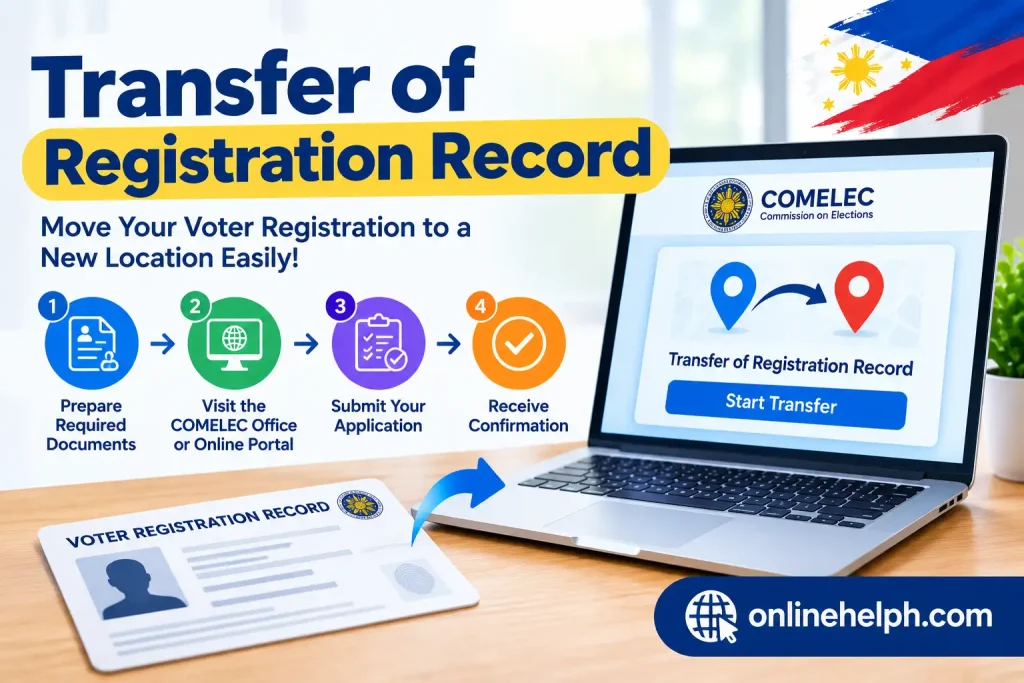
2. Transfer of Registration Record
If you are already a registered voter but have moved to another city, municipality, district, or qualifying location, you may need to apply for a transfer of registration record.
The current CEF-1 form provides options for transferring within the same city or municipality, transferring from another city or municipality, and certain transfers involving an overseas registration record.
3. Reactivation of Registration Record
A voter whose registration record has been deactivated may apply for reactivation when the reason for deactivation no longer applies.
The CEF-1 form lists several possible grounds for deactivation, including failure to vote in two successive preceding regular elections, certain final court judgments, loss of citizenship, court-ordered exclusion, and failure to validate.

4. Correction or Change of Information
If your voter record contains an incorrect entry, COMELEC provides an application process for correction.
This can include certain changes involving your name, civil status, date or personal information, depending on the circumstances and supporting documents required.

5. Inclusion or Reinstatement
The CEF-1 also contains options for inclusion of a registration record in the book of voters or reinstatement of a voter’s name in the list of voters.

What Form Is Used for COMELEC Voter Registration?
The primary application form is CEF-1, the Application for Registration and related voter-record transactions.
The current revised CEF-1 form is available through the official COMELEC website. It contains options for new registration, transfer, reactivation, correction of entries, change of name, inclusion, and reinstatement.
Official CEF-1 Form:
Download the COMELEC CEF-1 Form
When preparing the form, carefully read the instructions and complete the required information accurately. Do not guess information such as your residence, previous registration details, or precinct information.
What Should You Prepare Before Registration?
Before going to the COMELEC registration office, prepare the documents and information requested by COMELEC or your local Election Officer.
You should carefully verify the current identification requirements because acceptable documents can depend on the specific application and current COMELEC instructions.
It is also useful to prepare:
Most importantly, check the current COMELEC registration schedule before visiting an office. The official schedule page is the best place to start because registration locations and operating arrangements may change.
Check the Official COMELEC Schedule
To avoid visiting the wrong office or arriving outside registration hours, use the official COMELEC schedule page:
Check COMELEC Voter Registration Programs and Schedules
You can also use the main COMELEC website for official announcements, resolutions, election information, and voter-related resources.
In the next part, we will cover the complete COMELEC voter registration step-by-step process, including where to file your application, document screening, biometric capture, signing the application, and what happens after submission.
COMELEC Voter Registration 2026: Step-by-Step Application Process
After confirming that you are qualified and preparing the correct documents, the next stage is to complete your COMELEC voter registration application. The registration process requires applicants to submit their application personally and complete the required biometric information.
It is important to check the current COMELEC registration schedule before visiting an Election Officer because registration sites, dates, and special registration programs may vary.
Step 1: Check the COMELEC Voter Registration Schedule
Before preparing your visit, first check the official COMELEC Voter Registration Programs and Schedules page.
Official Schedule:
COMELEC Voter Registration Programs and Schedules
Look for the applicable registration period, registration location, and instructions for your area.
Depending on the program, registration may be conducted at a local Office of the Election Officer (OEO), satellite registration site, or another location designated by COMELEC.
Do not rely only on information from unofficial Facebook pages or websites. Registration arrangements can change, so verify the latest information through the official COMELEC website or your local Election Officer.
Step 2: Download and Prepare the CEF-1 Application Form
The next step is to obtain the appropriate CEF-1 Application for Registration form.
Official COMELEC CEF-1 Form:
Download CEF-1 from COMELEC
Read the instructions carefully before filling out the application.
Enter your information accurately, including your name, date of birth, citizenship, residential address, and other information requested by the form.
If you are applying for a transfer, reactivation, correction, or another voter-record transaction, select the appropriate application type.
Important: Do Not Sign Too Early
Applicants should follow the instructions printed on the current form concerning signatures and thumbmarks.
If COMELEC requires the signature or thumbmark to be made in the presence of the Election Officer or authorized personnel, do not complete those portions beforehand.
This helps the Election Officer properly verify the applicant’s identity and complete the registration procedure.
Step 3: Complete Your Personal Information
Fill out the required sections of the CEF-1 form using accurate information.
Depending on your application, the form may request information such as:
Use the information shown on your supporting documents whenever applicable.
Use Accurate Residential Information
Your residential information is especially important because your voter registration is associated with the appropriate voting area.
If you recently moved, make sure you understand whether you need a transfer of registration record rather than a new registration.
Do not submit a new registration application if you already have an existing voter record unless COMELEC instructs you to do so.
Step 4: Prepare Your Identification Documents
Bring the identification document or supporting documents required under the current COMELEC rules for your application.
The document should allow COMELEC personnel to establish your identity and verify the information provided in your application.
Requirements can change, and some transactions may require additional supporting documents. Therefore, check the current instructions from COMELEC or your local Election Officer before your appointment or registration visit.
Official COMELEC Website:
Visit COMELEC
If you are applying to correct information, change your name, transfer your record, or reactivate a deactivated registration, bring the supporting documents relevant to that transaction.
Step 5: Go to the Designated Registration Site
On your scheduled registration day, go to the designated COMELEC registration location.
This may be your local Office of the Election Officer (OEO) or another registration site announced by COMELEC.
Bring:
Arriving prepared can make the document-screening process easier.
Step 6: Submit Your Application for Document Screening
At the registration site, submit your application to the authorized COMELEC personnel.
The Election Officer or authorized personnel will review your application and supporting documents.
They may check whether:
If there is missing or inconsistent information, follow the instructions of the Election Officer before continuing.
Step 7: Undergo Biometric Data Capture
One of the most important parts of COMELEC voter registration is biometric data capture.
COMELEC uses biometric information as part of its voter registration system.
The registration process includes the capture of:
Photograph
Your photograph is digitally captured using the registration equipment.
Follow the instructions of the registration personnel regarding your position and appearance during the photograph.
Signature
Your signature is digitally captured through the registration system.
Make sure your signature is clear and follows the instructions provided by the Election Officer.
Fingerprints
Your fingerprints are captured through the biometric equipment.
The Election Officer or registration personnel will tell you how to place your fingers on the scanner.
These biometric records become part of your voter registration information and help COMELEC maintain and verify voter records.
Step 8: Review Your Information Before Final Submission
Before completing the application, carefully review the information you provided.
Pay particular attention to:
If you notice an error, immediately inform the Election Officer or authorized personnel.
Correcting an error before the application is finalized can help avoid unnecessary problems later.
Step 9: Sign and Affix Your Thumbmark as Instructed
After the application and biometric procedures have been completed, follow the Election Officer’s instructions regarding your signature and thumbmark.
The applicant may be required to sign and affix the appropriate thumbmark in the presence of the Election Officer or authorized personnel.
Do not independently alter the form after it has been processed.
If you are unsure where to sign or where to place your thumbmark, ask the registration personnel.
Step 10: Receive Your Acknowledgment or Transaction Information
After filing your application, keep any acknowledgment document, transaction slip, reference information, or other document provided by the registration office.
If COMELEC provides you with an acknowledgment stub, keep it in a safe place.
This information can be useful when following up on your application or asking the local Election Officer about your registration record.
Remember that submitting the application does not necessarily mean that your registration has already been finally approved.
What Happens After You Submit the Application?
Many applicants assume that completing the form and biometric capture immediately makes them registered voters.
However, the registration process involves additional review.
Applications are subject to the applicable procedures of the Election Registration Board (ERB) and other COMELEC processes.
The general process can be understood as:
Application Filed → Verification/Review → ERB Proceedings → Decision → Voter Record Updated
The exact timing can depend on the applicable registration period, ERB proceedings, election calendar, and COMELEC procedures.
Therefore, keep your acknowledgment or transaction information until you can confirm the status of your voter record.
Register Anywhere Program (RAP)
COMELEC has also implemented registration programs designed to make voter registration more accessible to eligible applicants in appropriate circumstances.
One example is the Register Anywhere Program (RAP), which allows qualified applicants to register at designated registration sites outside their usual place of registration when the program is available.
RAP sites may include selected locations such as malls, universities, government facilities, or other designated venues.
However, applicants should not assume that every registration center automatically offers RAP services.
Always check the official COMELEC schedule and announcement for participating locations.
Official COMELEC Registration Schedule:
Check Current Registration Programs
Can You Register at Any COMELEC Office?
Not necessarily.
The available registration location depends on the registration program and instructions issued by COMELEC.
For ordinary registration transactions, applicants generally deal with the appropriate local Election Officer. Special programs such as RAP may provide additional designated registration locations.
Before traveling, confirm the location through official COMELEC information.
This is particularly important if you are living away from your home municipality or province.
What If You Are Already a Registered Voter?
If you already have an existing voter registration record, do not automatically submit a new registration application.
Instead, determine which transaction applies to your situation.
For example:
Using the correct application type helps prevent duplicate or incorrect records.
How Long Does COMELEC Voter Registration Take?
The time required at the registration center can vary depending on the number of applicants, document screening, biometric equipment, registration location, and other factors.
The physical application process may be completed during your visit, but final processing of the voter record can take longer because applications are subject to the applicable COMELEC review and Election Registration Board procedures.
For this reason, applicants should not assume that completing biometric capture means their voter registration is immediately final.
Important Tips for a Smooth Registration
Follow these tips before visiting the registration center:
1. Check the Official Schedule
Always verify the latest registration schedule before traveling.
2. Complete Your Form Carefully
Review every field and make sure your information is accurate.
3. Bring the Required Documents
Prepare your identification and any supporting documents required for your specific transaction.
4. Do Not Guess Information
If you are unsure about a previous registration detail or another field, ask the Election Officer.
5. Keep Your Acknowledgment Information
Do not throw away your acknowledgment stub or transaction information after registration.
6. Confirm Your Registration Status
After the applicable processing period, contact your local Election Officer or use the official status-checking procedure available for your area.
Official COMELEC Resources
For the most reliable information, use official COMELEC resources rather than relying solely on third-party websites.
COMELEC Official Website:
https://www.comelec.gov.ph/
Voter Registration Programs and Schedules:
https://www.comelec.gov.ph/?r=VoterRegistration/VoterRegProgSched
CEF-1 Application for Registration:
Official CEF-1 PDF
FAQS
Conclusion
Registering as a voter with COMELEC is a key step for eligible Filipinos who want to take part in elections. The process may differ depending on whether you are registering for the first time, transferring your voter record, reactivating a deactivated registration, correcting personal information, or completing another voter-related transaction.
To avoid unnecessary delays, check the latest COMELEC registration schedule and requirements before going to the designated registration centre. Prepare the appropriate CEF-1 form, bring the required valid identification and supporting documents, and carefully follow the Election Officer’s instructions during document verification and biometric capture.
It is also important to understand that submitting an application does not automatically mean that your voter registration has been approved or finalised. Depending on the transaction, your application may still undergo review and the applicable Election Registration Board process before your voter record is updated. Keep your acknowledgement or transaction details for reference, and contact the appropriate COMELEC office if you need to check the status of your application.
Read more
BIR eFPS 2026: Registration, Login, Tax Filing and Payment Guide
TM SIM Registration 2026: Online Registration, Requirements and Complete Guide
DTI iRegIS 2026: Registration, Login, Business Linking & Application Guide
MATATAG Curriculum TM SIM Registration 2026: Online Registration, Requirements and Complete GuideGuide 2026
MAAG Curriculum Guide 2026