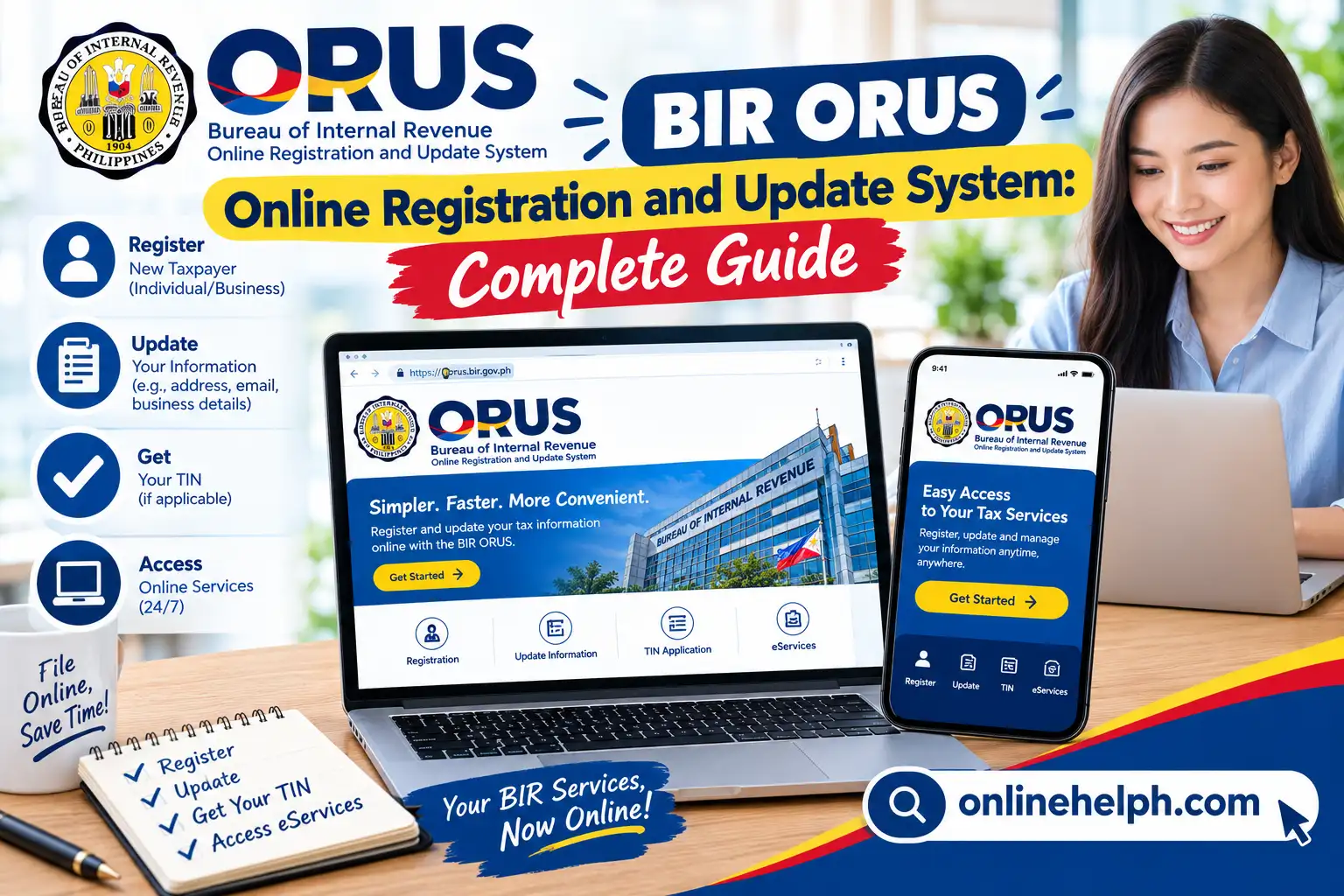
The BIR Online Registration and Update System (ORUS) is the Bureau of Internal Revenue’s online platform for completing various taxpayer registration and registration-update transactions. Instead of relying entirely on in-person processing, eligible taxpayers can use orus.bir.gov.ph to submit information and access selected registration services online.
Official BIR website: Bureau of Internal Revenue (BIR)
Official orus.bir.gov.ph
This guide explains how orus.bir.gov.ph works, what you may need before starting, how to create or access an account, and how to use important ORUS services.
Important: BIR procedures, documentary requirements, and available online services can change. Always check the official BIR website and ORUS portal for the latest instructions before submitting an application. visit Homepage for more
What Is BIR ORUS?
orus.bir.gov.ph, or the Online Registration and Update System, is an online service provided by the Philippine Bureau of Internal Revenue. According to BIR, ORUS facilitates the end-to-end process of taxpayer registration and updating of taxpayer information.
The system is designed to make selected registration transactions more convenient by allowing taxpayers to complete applicable processes online.
Depending on the taxpayer and transaction, orus.bir.gov.ph may be used for services such as taxpayer registration, updating registration information, obtaining a Digital TIN ID, and registering books of accounts.
The exact services available to you can depend on your taxpayer type, existing BIR records, and the transaction you are trying to complete.
BIR ORUS Requirements Before You Start
Before opening orus.bir.gov.ph, prepare the information and documents relevant to your transaction. Having everything ready can reduce interruptions during the application.
Active Email Address
Use an email address that you can access. Email is important because online systems may send verification messages, account notifications, or other transaction-related communications.
Do not use another person’s email address when the system requires your own taxpayer information.
Personal or Taxpayer Information
Depending on the service, you may need information such as:
Make sure the information you enter corresponds with your BIR records.
Valid Identification
For certain registration transactions, you may be required to provide an acceptable government-issued identification document or other supporting information.
The required identification can vary according to the taxpayer type and transaction. Therefore, check the current BIR instructions for your specific application instead of assuming that one ID will be accepted for every transaction.
Supporting Documents
Business taxpayers and applicants completing registration-related transactions may need additional documents.
Prepare clear digital copies where the online transaction requires attachments. Make sure names, dates, TIN information, and other important details are readable.
How to Access the Official BIR ORUS Website
The safest way to use orus.bir.gov.ph is to start from an official BIR source.
Open the Official BIR Website
Go to the official Bureau of Internal Revenue website:
The BIR website provides access to its different electronic services, including ORUS. BIR identifies ORUS as a system for taxpayer registration and updating information.
Open ORUS
You can access the official ORUS portal here:
Open orus.bir.gov.ph
Before entering personal information, check that you are on the official bir.gov.ph domain.
Avoid entering your TIN, password, identification information, or other sensitive data into websites that imitate the BIR portal.
How to Create an ORUS Account
The exact account-enrollment screens may change as BIR updates the platform, but the general process involves providing the requested taxpayer information and completing the verification process.
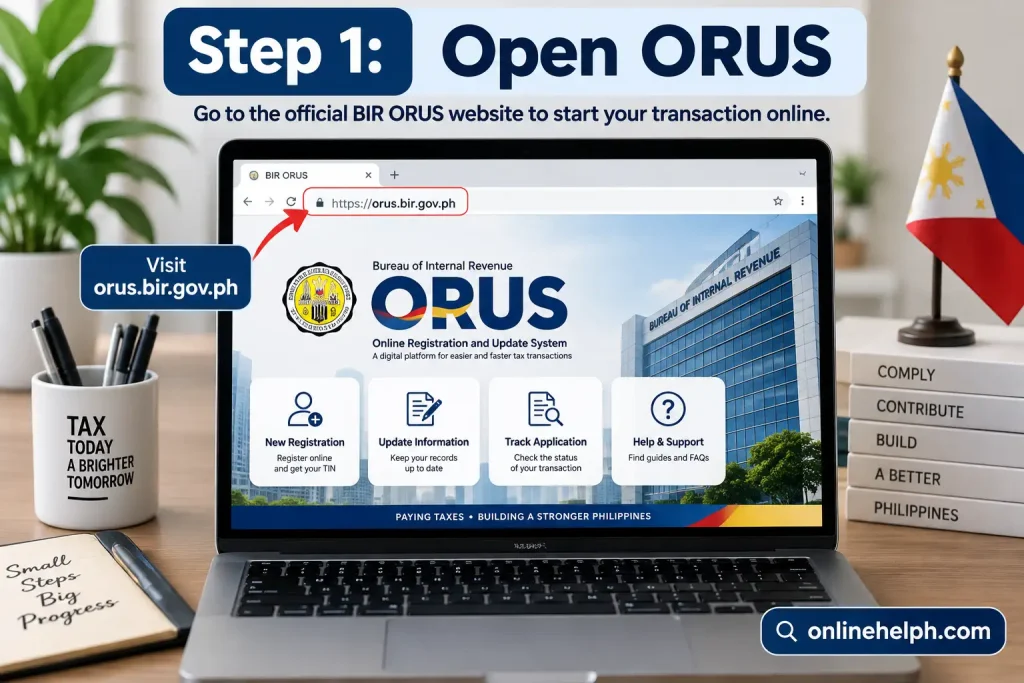
Step 1: Open ORUS
Visit the official orus.bir.gov.ph portal and select the appropriate registration or account option available on the page.
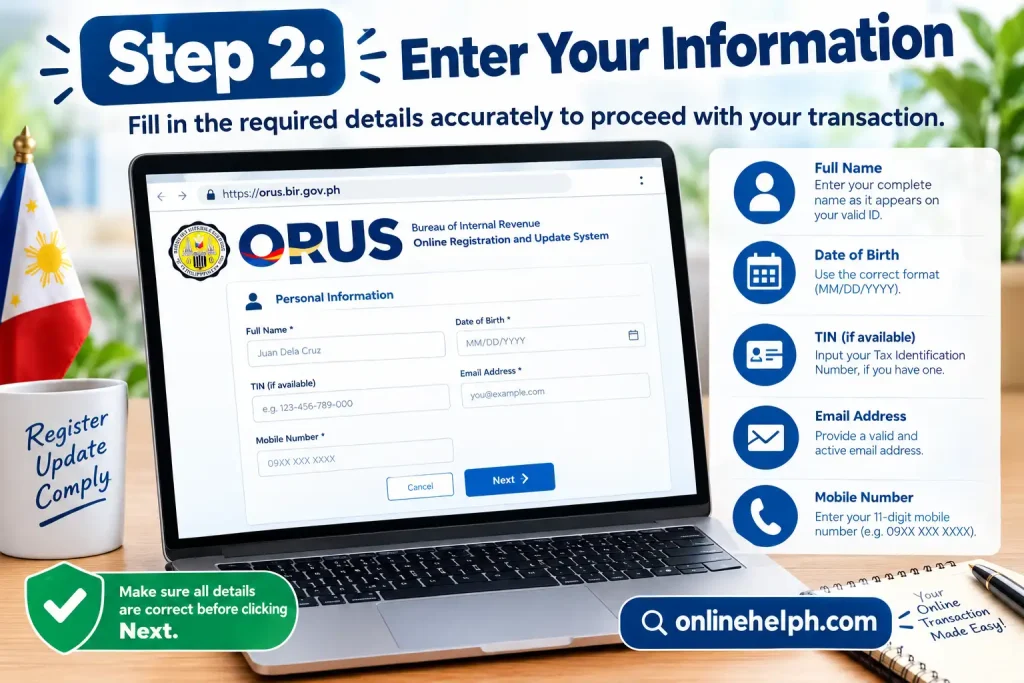
Step 2: Enter Your Information
Provide the information requested by ORUS.
Carefully check:
A simple typing error can cause information mismatches or prevent successful verification.
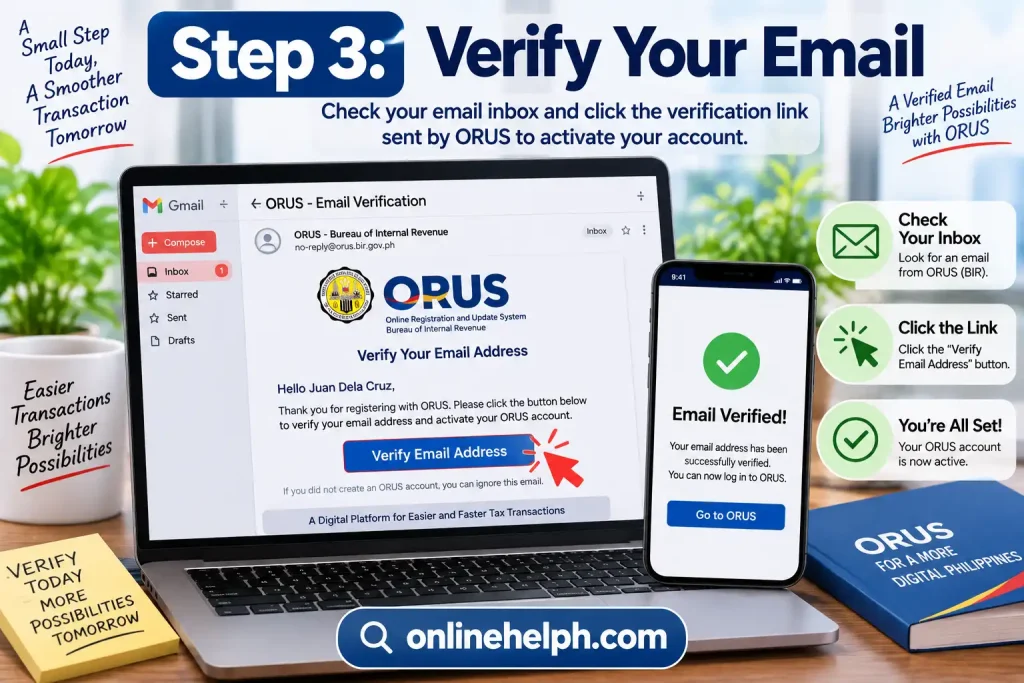
Step 3: Verify Your Email
If ORUS sends a verification message, open the email and follow the instructions provided by BIR.
If you do not see the message immediately, check your spam, junk, promotions, or other filtered folders.
Do not repeatedly create new accounts simply because an email is delayed. First verify whether the original registration was completed.
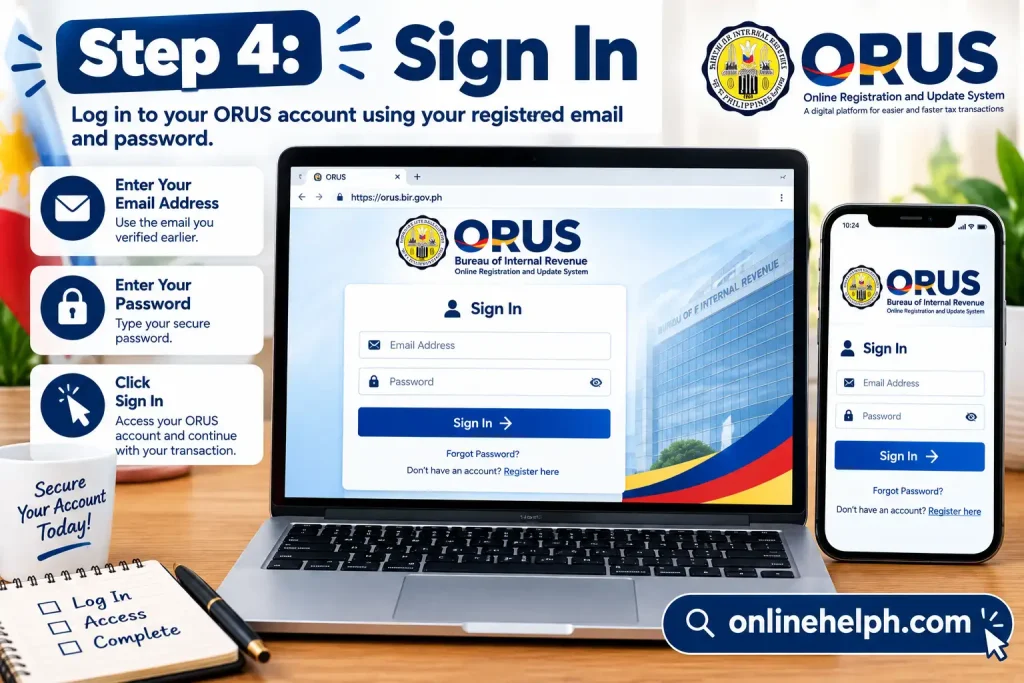
Step 4: Sign In
After completing the required verification, return to the official ORUS portal and sign in using your registered credentials.
Keep your login information private and avoid sharing your password with other people.
What Can You Do Through BIR ORUS?
The services available through orus.bir.gov.ph may vary according to your taxpayer profile and the current BIR implementation.
Important ORUS-related transactions include:
Taxpayer Registration
Eligible individuals and businesses can use online registration facilities where applicable.
Registration Updates
ORUS can facilitate certain updates to taxpayer registration information.
Digital TIN ID
BIR has provided an ORUS process for accessing and generating a Digital TIN ID. Official BIR guidance shows that users can access the Digital TIN ID function through ORUS and review the displayed information before generating the ID.
Books of Accounts Registration
ORUS also supports registration of books of accounts. BIR documentation includes fields for manual, loose-leaf, and computerized books and allows applicable book information to be entered through the system.
BIR ORUS and Digital TIN ID
One of the useful features associated with bir.gov.ph orus is the Digital TIN ID.
When using the Digital TIN ID facility, taxpayers should carefully review the information displayed by the system. BIR’s official instructions indicate that registration information should be changed or updated before updating the Digital TIN ID when necessary.
This is important because an outdated taxpayer record can result in incorrect information appearing on the digital identification document.
The Digital TIN ID process should therefore be treated as part of your broader BIR registration information management rather than simply as a way to obtain an ID image.
BIR ORUS TIN Registration for Employees
Employees who need a Taxpayer Identification Number (TIN) may have an online ORUS route available depending on their circumstances.
The BIR’s 2026 Citizen’s Charter includes an “Application for Taxpayer Identification Number (TIN) of Local Employee – Online thru ORUS.”
Step 1: Open BIR ORUS
Go to the official ORUS portal:
Open the official bir.gov.ph orus portal
Use the official BIR domain and avoid unofficial websites asking for your personal taxpayer information.
Step 2: Choose the Appropriate Registration Service
After signing in, review the available registration options and select the option applicable to your situation.
Do not select a business-registration service if you are applying only as an employee.
Step 3: Enter Your Personal Information
Depending on the application, ORUS may request information such as:
Enter information exactly and carefully.
Step 4: Review Before Submission
Before submitting, compare the information you entered with your identification documents and existing BIR records.
Pay particular attention to:
An incorrect entry can cause verification or record-matching problems.
Step 5: Submit the Application
Submit the completed online application through ORUS.
Keep any application reference number, confirmation message, or electronic document generated by the system. These records can be useful if you later need to follow up.
BIR ORUS TIN Registration for EO 98 / ONETT Taxpayers
ORUS also includes an online process for certain EO 98/ONETT taxpayers. The BIR’s 2026 Citizen’s Charter separately lists “Application for Taxpayer Identification Number (TIN) [Executive Order (EO) No. 98/One-Time Transaction (ONETT) Taxpayer] – Online thru ORUS.”
The appropriate process depends on why you need the TIN and your taxpayer circumstances.
General Process
Do not create multiple TINs simply because you cannot immediately locate an existing one. If you already have a TIN, verify your existing record through the appropriate BIR channels.
BIR ORUS Business Registration
One of the major uses of bir.gov.ph orus is online registration for eligible new businesses.
The BIR’s current Citizen’s Charter lists online ORUS procedures for individual new business registrants and non-individual new business registrants.
Business registration involves more information than an ordinary individual TIN application, so prepare your business details before beginning.
Individual New Business Registration
An individual entrepreneur may need to provide information relating to the business and taxpayer.
Depending on the applicable transaction, information can include:
Step-by-Step
Step 1: Log in to bir.gov.ph orus.
Step 2: Select the option for new business registration applicable to an individual taxpayer.
Step 3: Enter your taxpayer information.
Step 4: Enter your business information.
Step 5: Select or provide the applicable registration details requested by the system.
Step 6: Upload supporting documents when required.
Step 7: Review the application carefully.
Step 8: Submit the registration.
Step 9: Save the electronic confirmation and other documents generated by ORUS.
The BIR’s 2026 Citizen’s Charter identifies the online ORUS service as covering individual new business registrants at the head office, including facilities together with the application for Authority to Print (ATP), where applicable.
Non-Individual Business Registration Through ORUS
Corporations and other non-individual taxpayers have different registration requirements.
The BIR’s 2026 Citizen’s Charter lists an online ORUS application for TIN and registration of non-individual new business registrants at the head office, including applicable facilities and ATP-related processing.
Before starting, make sure your organization’s registration information and supporting documents are available.
Typical Information to Check
You may need information concerning:
The exact documents and fields depend on the taxpayer classification and transaction.
Important Tip
Use the organization’s official registration information consistently.
A mismatch between the registered name, TIN, business address, or supporting documents can create problems during processing.
Updating Taxpayer Information Through BIR ORUS
bir.gov.ph orus is not only for creating new registrations. BIR describes ORUS as a system that facilitates the end-to-end process of taxpayer registration and updating of information.
If your taxpayer information has changed, first determine whether the particular update is available through ORUS.
Depending on the transaction, updates can involve information such as:
Recommended Update Process
Step 1: Log in to ORUS.
Step 2: Select the applicable registration-update service.
Step 3: Review your existing taxpayer information.
Step 4: Enter the new or corrected information.
Step 5: Attach supporting documents if required.
Step 6: Review the changes carefully.
Step 7: Submit the request.
Step 8: Keep the confirmation or transaction record.
If the specific update is not available online, check the current BIR instructions for the appropriate alternative procedure.
How to Get a Digital TIN ID Through ORUS
The Digital TIN ID is another important service associated with the BIR’s online registration environment.
When using the Digital TIN ID facility, carefully review the taxpayer information displayed by the system before generating the document.
Step-by-Step Digital TIN ID Process
Step 1: Log in to ORUS
Access the official bir.gov.ph orus website and sign in.
Step 2: Find the Digital TIN ID Service
Look through the available services for the Digital TIN ID option.
Step 3: Review Your Information
Check the information displayed by ORUS.
Pay special attention to your:
Step 4: Correct Registration Information if Necessary
If your taxpayer record needs updating, follow the applicable BIR procedure before relying on the displayed Digital TIN ID information.
Step 5: Generate the Digital TIN ID
After confirming the information, follow the ORUS instructions to generate the Digital TIN ID.
Step 6: Save the Digital Copy
Keep the generated document in a secure location for legitimate transactions where the Digital TIN ID is accepted.
Avoid editing or altering the information displayed on an official tax document.
Registering Books of Accounts Through BIR ORUS
Another important bir.gov.ph orus service is the registration of Books of Accounts.
The BIR’s documentary-requirements checklist specifically provides an online application via ORUS for registration of Books of Accounts. It states that taxpayers should create an ORUS account and that, upon successful registration, the system generates a QR Stamp for applicable Books of Accounts.
The BIR’s current guidance also explains that the QR Code Stamp contains registration information such as the TIN, registered name, registered address, type of book, books registered, quantity, volume number, and registration date.
Step-by-Step Books of Accounts Registration
Step 1: Sign In to ORUS
Open the official bir.gov.ph orus portal and sign in.
Step 2: Select Books of Accounts
Choose the appropriate Books of Accounts registration service.
Step 3: Select the Office
BIR’s ORUS instructions show that the taxpayer can select whether the Books of Accounts are being registered for the Head Office or a Branch.
Step 4: Add the Business Details
The system can display taxpayer information such as:
Review these details before proceeding.
Step 5: Add the Books
Use the applicable Add or Add Row function to enter the Books of Accounts being registered. BIR’s ORUS instructions demonstrate this process for manual Books of Accounts.
Enter the information requested by the system accurately.
Step 6: Submit the Registration
Review the book information and submit the registration.
Step 7: Generate the QR Code Stamp
After successful ORUS registration, the system generates the QR Code Stamp.
According to BIR guidance, the QR Code Stamp can be used as proof of registration and its authenticity can be checked by scanning the QR code, which redirects to the bir.gov.ph orus website.
Step 8: Print and Keep the QR Code
For manual Books of Accounts and permanently bound loose-leaf books, BIR guidance states that the QR Code Stamp should be printed and pasted on the first page. For computerized Books of Accounts, it should be printed and retained for record purposes.
Important Books of Accounts Information
BIR’s current guidance distinguishes between different types of Books of Accounts, including:
The requirements and registration procedures can differ according to the type of books being maintained.
For example, BIR’s documentary checklist includes separate requirements for manual, loose-leaf, and computerized Books of Accounts.
For computerized Books of Accounts, additional requirements may apply depending on the taxpayer’s system and applicable BIR rules.
The BIR’s 2024 guidance also states that, after online ORUS registration, taxpayers generally do not need to visit the RDO for manual stamping or submission of certain materials associated with the computerized-book registration process. It identifies limited circumstances in which manual RDO registration may still be allowed, including documented ORUS technical problems.
Because requirements can change, verify the current rules before registering your books.
Avoid These Common BIR ORUS Mistakes
When using bir.gov.ph orus, several simple mistakes can delay an application.
Incorrect Personal Information
Always make sure your name and other identifying information match your official records.
Wrong TIN
Do not enter another person’s TIN. If you believe you already have a TIN but cannot locate it, use the appropriate BIR verification process rather than applying for another TIN unnecessarily.
Incorrect Business Details
For business applications, carefully check your registered business name, address, line of business, branch information, and other registration details.
Poor-Quality Documents
If supporting documents must be uploaded, make sure they are readable and complete.
Ignoring Confirmation Messages
After submitting a transaction, save the confirmation, reference number, or electronic document provided by the system.
FAQs
Conclusion
BIR ORUS makes many tax-related services more convenient by allowing taxpayers to complete registration, manage taxpayer information, access a Digital TIN ID, and handle other BIR transactions online. Instead of relying entirely on in-person visits, users can follow the appropriate ORUS process, submit the required information and documents, and monitor their applications digitally.
Before starting, make sure your personal details, email address, valid ID, and supporting documents are ready. Carefully review every detail before submitting an application, and keep your ORUS login information secure. If an application is delayed or you encounter an account, verification, or registration issue, check the relevant ORUS instructions and contact the BIR or your Revenue District Office when necessary.
Whether you are applying for your first TIN, generating a Digital TIN ID, updating taxpayer information, or registering Books of Accounts, understanding the correct BIR ORUS procedure can help you complete the process with fewer mistakes and unnecessary delays. Always use the official BIR and ORUS platforms for your transactions and avoid sharing sensitive tax information with unofficial websites or individuals.
Read more
Complete Guide to Senator Bong Go Assistance, eGovPH, and Online Applications
SALN Form 2026: Complete Download and Step-by-Step User Guide
MySSS Card 2026: Requirements, Online Application, Fees & Complete Guide
SALN Form 2026: Complete Download and Step-by-Step User Guide
x
BIR eFPS 2026: Registration, Login, Tax Filing and Payment GuideMATATAG Curriculum Guide 2026
MAAG Curriculum Guide 2026