Getting a Philippine National ID starts with philsys.gov.ph online registration the official process under the Philippine Identification System (PhilSys). For Filipinos who need a reliable government-issued identity, knowing where to register, what documents to prepare, and what happens after registration can make the process much easier.
The philsys.gov.ph online registration process involves providing your personal information, presenting an accepted supporting document, and completing biometric registration. Depending on your circumstances, you may also need to understand how to access your Digital National ID, verify your identification information, or follow up on your registration after completing the initial process.
This guide explains the philsys.gov.ph online registration requirements, step-by-step process, National ID verification, Digital National ID access, and common problems in clear language. It also points you towards the official PSA and PhilSys websites so you can check the latest instructions directly from the government source.
PhilSys Registration: What You Need to Know First
Getting your Philippine National ID starts with philsys.gov.ph online registration, the registration process under the Philippine Identification System administered by the Philippine Statistics Authority (PSA). The National ID is designed as a foundational identification system that can make identity verification easier across government and private-sector transactions.
If you’re planning to register, the most important things to prepare are your personal information and an acceptable identification or supporting document. The official PSA requirements distinguish between primary and secondary supporting documents, so checking the current list before visiting a registration centre can help prevent unnecessary delays.
The philsys.gov.ph online registration process also involves biometric capture. Under the revised implementing rules, the information collected includes demographic details such as your name, sex, date and place of birth, address and citizenship status, together with biometric information such as a front-facing photograph, fingerprints and iris scan.
Quick facts about PhilSys registration
| Item | Information |
|---|---|
| System | Philippine Identification System (PhilSys) |
| Main agency | Philippine Statistics Authority (PSA) |
| Identification | Philippine National ID / PhilID |
| Registration fee for citizens | Free for initial registration and issuance |
| Main website | PhilSys.gov.ph |
| Registration information | Personal and demographic details |
| Biometrics | Photograph, fingerprints and iris scan |
| Digital National ID | Available to registered persons through official channels |
The initial application and issuance of the PhilID for Filipino citizens are free. The revised rules also state that replacement or certain other transactions may have applicable fees, depending on the reason and the applicable schedule.
Who Can Register for the Philippine National ID?
philsys.gov.ph online registration is primarily intended for Filipino citizens. The PSA’s Citizen’s Charter identifies Filipino citizens as persons who may avail of the National ID registration service.
The system records information needed to establish identity, including citizenship or resident-alien status. Therefore, applicants should provide information that matches their supporting documentation and follow the instructions given by authorised philsys.gov.ph online registration personnel.
For most applicants, the process is straightforward once the necessary documents have been prepared.
What information is collected?
The PhilSys rules identify the following demographic information for the registry:
Biometric information includes a front-facing photograph, a full set of fingerprints and an iris scan.
Important: Make sure the information you provide is accurate. In particular, your name, sex, date of birth and place of birth should be consistent with the supporting documents presented during registration.
PhilSys Registration Requirements
Before starting philsys.gov.ph online registration, gather an acceptable document that can establish your identity. The PSA provides a detailed list of primary and secondary supporting documents.
Primary supporting documents
The official PhilSys website encourages Filipino registrants to bring one of the following primary document combinations:
If there is a discrepancy between information on a PSA-issued Certificate of Live Birth and the government-issued ID presented, the official supporting-document guidance states that the entry in the PSA-issued Certificate of Live Birth shall prevail.
Secondary and alternative documents
If you don’t have the primary documents listed above, the PSA also recognises a broad range of secondary documents.
Examples include:
The PSA also lists certain employee IDs, school IDs, city or municipal IDs, barangay documents and voter certifications as acceptable secondary supporting documents when they contain the required identifying information.
Before visiting a registration centre
Use this simple checklist:
For the latest official list, check the PhilSys Supporting Documents page rather than relying on old social-media posts or unofficial websites.
How to Complete PhilSys Registration Step by Step
The physical registration process involves verification of your information, encoding of demographic data and collection of biometrics. The PSA’s Citizen’s Charter provides the official service procedures and requirements.
Step 1: Visit the Official PhilSys Website

Begin by checking the official PSA PhilSys information before making any arrangements.
Official registration information:
https://philsys.gov.ph/registration-process/
The official website is the best starting point because registration requirements, service announcements and available National ID services can change over time.
Avoid websites that ask you to pay someone simply to access basic philsys.gov.ph online registration information. For Filipino citizens, the initial National ID registration and issuance are free under the applicable rules..
Step 2: Prepare Your PhilSys Registration Information

Before proceeding to the registration centre, review the information that will be required for the PhilSys registry.
You should be ready to provide details such as:
Take care when preparing these details. Small errors in names, dates or places of birth can create problems during identity verification.
Your supporting document should also be checked beforehand so you know that the information you provide is consistent with your official records.
Step 3: Go to an Authorised PhilSys Registration Centre
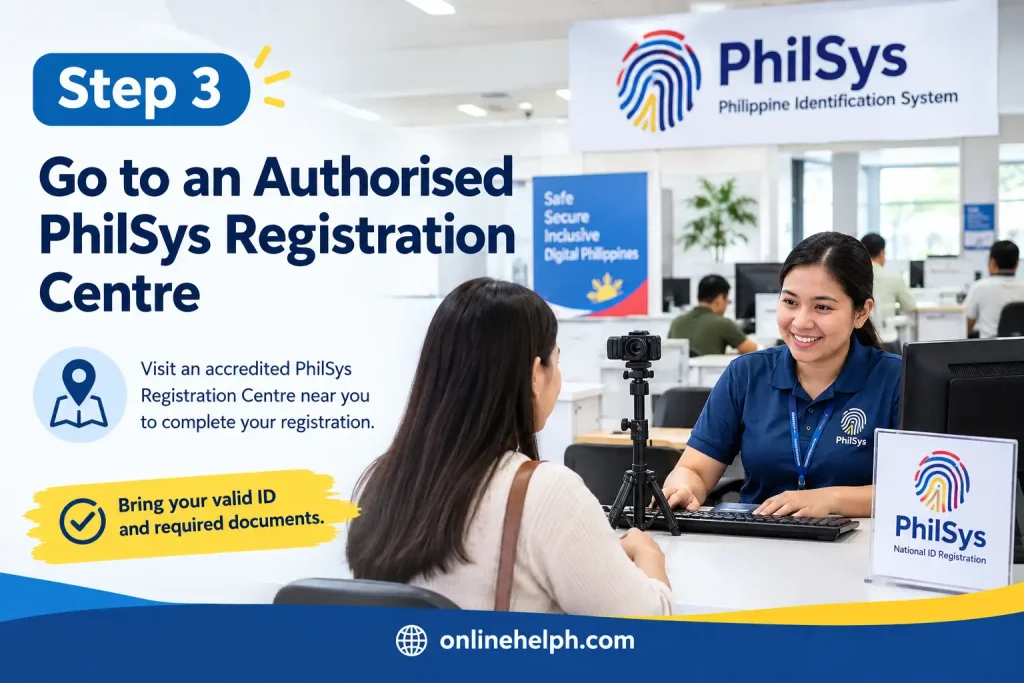
Once your documents and information are ready, proceed according to the current philsys.gov.ph online registration arrangements.
At the registration centre, personnel will review your information and supporting documents before the registration data is processed.
The PSA Citizen’s Charter shows that registration personnel check the submitted information and documents before the applicant proceeds to the Registration Kit Operator.
Tip: Bring the original document or document type required by the current PSA instructions. Don’t assume that an unofficial photocopy, screenshot or expired document will automatically be accepted.
Step 4: Submit Your Information for Encoding

At the registration station, your demographic information is entered into the philsys.gov.ph online registration system.
You should carefully check the information shown to you. This is an important stage because correcting an error later can be more complicated than identifying it before confirmation.
The registration process also requires the collection of biometric information. Under the PhilSys rules, this includes your photograph, fingerprints and iris scan.
What happens during biometric capture?
The registration personnel may capture:
These biometric elements form part of the identity information maintained within the PhilSys system.
Why the Philippine National ID Matters
The National ID system was created as a foundational identification system intended to make identity verification and access to services more convenient.
The PSA describes the National ID system as supporting easier access to services and helping enable paperless, cashless and presence-less transactions.
A registered person may also access a Digital National ID through official digital channels. PSA information states that registered individuals can access their Digital National ID through the official National ID platform or the eGovPH app, subject to the applicable authentication process.
This means philsys.gov.ph online registration is not simply about receiving a physical card. It establishes a foundational identity record that can support different forms of National ID use.
Official PhilSys Links You Should Bookmark
For safety, use official government websites whenever you are entering personal information.
The official PhilSys Check service can be used to verify information encoded in the QR code of a PhilID or ePhilID.
What Happens After Registration?
After your information and biometrics have been captured, review the transaction details provided by the registration personnel and keep any registration-related document or reference information you receive.
The PSA Citizen’s Charter describes a process in which the applicant reviews and confirms the correctness of demographic and biometric information before affirming the collection of data.
For some services, the PSA may also issue a paper-format or electronic form of the National ID depending on the current service arrangements.
Registered individuals can also access the Digital National ID through official digital channels. PSA has stated that the Digital National ID is available through the eGovPH app and can be accessed after the required account and facial-verification process.
PhilSys Registration 2026: Status, Digital National ID, Verification & Troubleshooting
How to Check Your PhilSys Registration Status
One of the most common questions after philsys.gov.ph online registration is: How can I check whether my National ID is already available?
The safest approach is to use the official PhilSys and PSA services rather than relying on unofficial tracking websites. Your registration details may be used to determine whether your National ID record is available for the relevant service.
For official information and current instructions, visit:
Official PhilSys website:
https://philsys.gov.ph/
Official registration information:
https://philsys.gov.ph/registration-process/
When checking your registration, make sure you use the exact information requested by the official service. Do not share your National ID details, personal information or verification codes with another person simply because they claim they can check your application.
What if your National ID has not arrived?
A delay does not necessarily mean that your philsys.gov.ph online registration failed. Processing and delivery arrangements can vary, and PSA may provide different methods for registered individuals to access their National ID.
If you have already registered, keep any transaction slip, reference number or other registration information given to you during the process. These details can be useful when following up.
How to Access the Digital National ID
The Digital National ID provides another way for registered individuals to access their National ID information through official digital channels.
The PSA has made the Digital National ID available through official National ID services and the eGovPH app, subject to the applicable authentication and verification requirements.
You should always access the Digital National ID through official government channels.
Official Digital National ID service
National ID website:
https://national-id.gov.ph/
You may also use the official eGovPH app where the National ID service is available.
The PSA has explained that registered individuals can access the Digital National ID after completing the required authentication process, which may include facial verification.
Why use the Digital National ID?
The Digital National ID can be useful when you need a convenient form of National ID access and do not have the physical card with you.
It is important, however, to distinguish between accessing your Digital National ID through an official service and simply creating an image or copy of your identification details. Use only the official government platform.
Security reminder: Never send screenshots containing your National ID information to strangers or upload them to websites that you do not trust.
How National ID Verification Works
The National ID system also provides mechanisms for checking the authenticity of National ID information.
The official PhilSys Check service can be used to verify information associated with the QR code of a PhilID or ePhilID.
Official PhilSys verification
PhilSys Check:
https://verify.philsys.gov.ph/
The verification process is particularly useful when an organisation needs to confirm the authenticity of a National ID presented by an individual.
A QR code should not automatically be treated as proof that an ID is genuine. Verification should be performed using the appropriate official system.
What should you do when someone asks for your National ID?
Before providing your National ID information, consider:
Avoid sending your National ID details through random social-media accounts or unofficial messaging channels.
PhilSys Registration for Children and Other Applicants
The National ID system covers eligible individuals, including children. However, the registration process and supporting documentation can differ depending on the applicant’s age and circumstances.
Parents or guardians should check the latest PSA instructions before taking a child to a registration centre.
Do not assume that the documents required for an adult applicant will always be identical for a child. The PSA may have specific procedures for verifying the identity and relationship of younger applicants.
For the latest requirements, consult the official supporting-document information:
Official supporting documents:
https://philsys.gov.ph/supporting-documents/
This is especially important when the applicant does not yet have the same government-issued identification documents commonly used by adults.
What If Your Personal Information Is Wrong?
Errors can occasionally occur during registration. You should review your information carefully before confirming the registration data.
Common details that deserve extra attention include:
If you discover an incorrect detail, do not attempt to create another National ID registration simply to correct the mistake.
Instead, follow the official PSA process for updating or correcting your information. The appropriate procedure can depend on the type of error and the document needed to support the correction.
A useful rule
Do not guess when correcting National ID information.
Check the current PSA instructions first, particularly if the correction involves your birth record, name or other information contained in an official civil-registry document.
Common Problems During PhilSys Registration
Most registration difficulties can be reduced by preparing your documents and information before visiting a registration centre.
Here are some common situations applicants may encounter.
1. Your supporting document is not accepted
If the document you bring does not meet the applicable requirements, registration personnel may ask you to provide another acceptable document.
Before travelling to a registration centre, review the official PSA supporting-document list.
Official source:
https://philsys.gov.ph/supporting-documents/
Do not rely exclusively on old lists shared on Facebook, TikTok, blogs or discussion forums because document requirements and service procedures can change.
2. Your information does not match
Suppose your name or date of birth is written differently across two documents. This can create an identity-verification issue.
In this situation, do not alter your information simply to make the documents appear identical. Tell the registration personnel about the discrepancy and follow the official procedure.
The PSA’s supporting-document guidance provides rules for handling certain discrepancies between documents.
3. You cannot access the Digital National ID
If the Digital National ID is not appearing or the authentication process is unsuccessful, first check that you are using the official platform and that the information entered is correct.
You can also check the current PSA announcements and official National ID channels for service-related instructions.
Avoid downloading unofficial applications that claim to provide access to your National ID.
4. You are unsure whether a website is official
This is an important issue because philsys.gov.ph online registration involves sensitive personal information.
The primary official website is:
Before entering personal information, check the domain carefully. Be cautious of websites that imitate government pages, use suspicious domains or request unnecessary payments.
Is PhilSys Registration Free?
For Filipino citizens, the initial philsys.gov.ph online registration and issuance of the National ID are free under the applicable rules.
The revised implementing rules provide that the first issuance of the PhilID to Filipino citizens is free. Certain replacement situations or other services may have applicable fees.
This means you should be careful if someone asks you to pay a private individual simply to “register” you for the National ID.
Be cautious of unofficial payment requests
You should not assume that a person asking for money is an authorised PhilSys representative.
If you are unsure whether a payment is legitimate, verify the information through the official PSA or PhilSys website before paying anything.
How to Protect Your National ID Information
Your National ID contains information that can be used to establish your identity, so protecting it is just as important as completing philsys.gov.ph online registration correctly.
Follow these practical precautions:
Keep physical copies secure
Store your physical National ID safely. Avoid leaving it unattended or lending it to other people.
Be careful with photographs
Don’t upload a clear photograph of your National ID to public social-media posts unless there is a legitimate reason to do so.
Check who is requesting your ID
Businesses and organisations may request identification for legitimate transactions, but you should understand why it is being requested.
Don’t share authentication information
Never disclose passwords, one-time passwords or other security information to someone claiming to be helping with your National ID.
Use official websites
When accessing PhilSys services, start from the official website rather than clicking unfamiliar links sent through messages.
PhilSys Registration Checklist
Before considering your application process finished, use this checklist:
| Task | Status |
|---|---|
| Check the official PhilSys website | ☐ |
| Review registration requirements | ☐ |
| Prepare an accepted supporting document | ☐ |
| Check your personal information | ☐ |
| Visit the appropriate registration facility | ☐ |
| Complete demographic information | ☐ |
| Complete biometric capture | ☐ |
| Review the information before confirmation | ☐ |
| Keep your registration/reference information | ☐ |
| Check official National ID services | ☐ |
| Learn how to access the Digital National ID | ☐ |
| Use official verification services when needed | ☐ |
This checklist can help prevent avoidable problems after philsys.gov.ph online registration
Important Mistakes to Avoid
A successful National ID application is not only about completing the registration steps. You also need to protect your information and use the correct official channels.
Avoid these mistakes:
Using an unofficial registration website:
Always start with the official PhilSys website.
Paying an unauthorised person:
Initial National ID registration for Filipino citizens is free.
Providing inaccurate information:
Your registration details should match your official supporting documents.
Ignoring document discrepancies:
Tell registration personnel when information differs between documents.
Creating duplicate registrations:
If you have already registered, follow the official procedure for corrections or follow-up instead of submitting another registration unnecessarily.
Sharing your National ID publicly:
Your identification information should be handled carefully.
Using unofficial National ID applications:
Download or access services only through official government channels.
Official PhilSys Websites and Services
For convenience, save these official resources:
PhilSys Official Website
Use this as the main source for PhilSys announcements, registration information and National ID guidance.
Registration Process
Use this page for official information about the philsys.gov.ph online registration process.
Supporting Documents
Use this page to review acceptable documents before registration.
PhilSys Check
Use the official verification service when checking National ID information through the applicable QR-code verification process.
Digital National ID
Use the official National ID platform for available digital National ID services.
What You Should Do After PhilSys Registration
Once your registration has been completed, don’t throw away any paperwork or reference information immediately.
Keep your registration-related details until you are confident that your National ID services are accessible and your information is correct.
If you already have access to a Digital National ID, use the official platform and protect your account credentials. If you are waiting for another form of National ID issuance or delivery, follow the current PSA instructions rather than relying on unofficial tracking services.
Most importantly, remember that philsys.gov.ph online registration is only one part of managing your National ID. You should also know how to verify your ID, protect your personal information and use the official PSA services when a problem occurs.
Key Takeaway
The safest way to manage your Philippine National ID is to stay with official PSA and PhilSys channels from registration through verification. Requirements, service arrangements and digital access options can change, so checking PhilSys.gov.ph before taking action is better than following an outdated guide.
Official PhilSys portal:
https://philsys.gov.ph/
Registration process:
https://philsys.gov.ph/registration-process/
Supporting documents:
https://philsys.gov.ph/supporting-documents/
PhilSys verification:
https://verify.philsys.gov.ph/
Digital National ID:
https://national-id.gov.ph/
Expert Tips for a Smoother PhilSys Registration
A little preparation can make philsys.gov.ph online registration considerably easier.
Check your documents before leaving home
Review the official supporting-document list first. Make sure the document you intend to use is one that the PSA currently accepts.
Keep your information consistent
Use your official records when preparing personal details. Pay particular attention to spelling, dates and other identifying information.
Review the encoded information
Don’t rush through the confirmation stage. Carefully check the information presented to you before confirming it.
Keep registration records
If you receive a transaction slip, reference number or other registration-related document, keep it in a safe place until you no longer need it.
Use official sources
For anything involving your National ID, start with the official PSA or PhilSys website.
This is especially important when searching for:
PhilSys Registration: Before and After Checklist
Use the following checklist as a quick reference.
Before Registration
During Registration
After Registration
Why You Should Use Only Official PhilSys Websites
Searching for National ID information online can produce many unofficial pages. Some may provide useful general information, but they should not replace the official PSA source.
The safest approach is to use the official PhilSys website for important decisions involving your identity.
Official resources at a glance
| Service | Official Website |
|---|---|
| PhilSys main website | https://philsys.gov.ph/ |
| Registration process | https://philsys.gov.ph/registration-process/ |
| Supporting documents | https://philsys.gov.ph/supporting-documents/ |
| PhilSys verification | https://verify.philsys.gov.ph/ |
| Digital National ID | https://national-id.gov.ph/ |
Bookmark these pages so you can return to the official source whenever requirements or procedures are updated.
PhilSys Registration and Personal Data Security
Your National ID information should be treated as sensitive personal information.
When dealing with philsys.gov.ph online registration, don’t provide your details simply because someone claims to represent a government office. If you receive an unexpected message requesting your National ID number, photograph, password or verification code, verify the request independently.
A legitimate transaction should have a clear purpose.
Good security habits
Use official websites:
Check the website address before entering personal information.
Avoid public sharing:
Don’t post clear photographs of your National ID unnecessarily.
Protect account information:
Keep passwords and authentication information private.
Verify requests:
If an organisation asks for your National ID, understand why it needs the information.
Be cautious with links:
Don’t automatically trust a PhilSys-related link received through an unknown message or social-media account.
Common PhilSys Registration Mistakes
Even when the overall process is straightforward, applicants can make avoidable mistakes.
Mistake 1: Using outdated requirements
Documents accepted in the past may not always reflect the latest official guidance. Check the current PSA list before registering.
Mistake 2: Entering incorrect personal information
A spelling error in your name or an incorrect date of birth can create unnecessary problems. Review your information carefully.
Mistake 3: Assuming every website is official
A website may use terms such as “National ID” or “PhilSys” without being an official government service.
Start from PhilSys.gov.ph whenever possible.
Mistake 4: Paying unofficial fees
Initial philsys.gov.ph online registration for Filipino citizens is free. Don’t pay someone merely because they claim they can speed up the basic registration process.
Mistake 5: Sharing identification information carelessly
Your National ID is an important identity document. Treat its information with care.
Final PhilSys Registration Advice
The best way to approachphilsys.gov.ph online registration is to prepare before you visit a registration facility and rely on current information from the Philippine Statistics Authority.
Have an accepted supporting document ready, make sure your personal information is accurate and carefully review the details recorded during registration. After completing the process, keep your registration information secure and use official services for Digital National ID access and verification.
Remember that you don’t need to depend on unofficial agents or random websites to understand the National ID process. The official PhilSys website provides the appropriate starting point for registration information, supporting-document requirements and other National ID services.
Frequently Asked Questions About PhilSys Registration
Conclusion
Completing PhilSys registration is an important step towards having a secure and widely recognised proof of identity in the Philippines. Whether you are registering for the first time, checking your registration status, accessing your Digital National ID, or updating incorrect information, following the official process can help you avoid unnecessary delays and mistakes.
Before starting your National ID registration, make sure your personal information is accurate and prepare an accepted supporting document. Follow the instructions provided by the Philippine Statistics Authority (PSA) and use only official PhilSys websites for registration information, verification, and other National ID services.
Remember that you should never pay an unofficial person or website to complete your registration. Be careful when sharing personal information, and avoid submitting your details through suspicious links or unofficial social media pages. visit Homepage for more
Read more
PEZA Website: Complete Guide to Registration, Online Services, Requirements & Economic Zones
DTI Trustmark: Complete Registration, Requirements, Fees, Application & Verification Guide
NBI Clearance Renewal Online: Requirements, Fees & Step-by-Step Guide
Sumbong sa Pangulo Website: Complete Guide to Reporting Flood Control Projects Online
PNP-FEO System: Complete Guide to the New FEO Online System