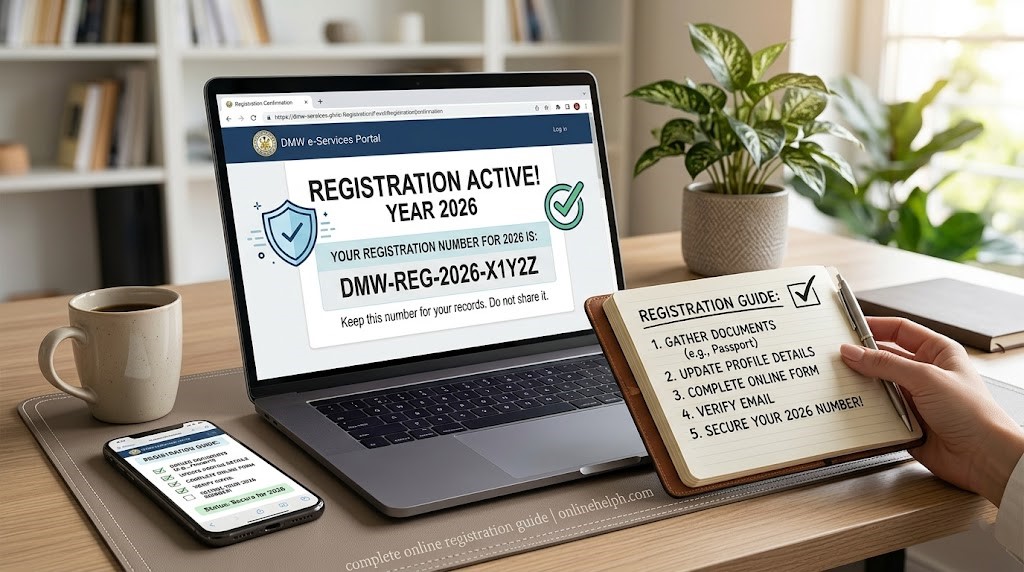
e-Registration refers to a digital registration process that lets people create an account and provide their required information online. Instead of filling out paper forms or visiting an office just to register, users can enter and verify their details through a computer or mobile device. Depending on the service, e-Registration may also allow users to submit applications, book appointments, receive confirmation, and manage their requests online.
What Is DMW eRegistration?
DMW e-Registration is an online component of the DMW e-Services Portal. It provides Filipino worker-applicants with a way to register their information electronically instead of relying entirely on manual registration.
The official DMW portal describes e-Registration as a facility for Filipino applicants aspiring to work overseas through DMW-licensed recruitment agencies or the Government Placement Branch (GPB).
The information collected through the registration system can include:
According to DMW, these details can support activities such as contract processing with licensed recruitment agencies and job matching, recruitment and placement through the Government Placement Branch.
Official DMW Websites
For security, use DMW’s government domains when registering or accessing your account.
Avoid entering your passport details, email address or password into websites that imitate the DMW portal. visit homepage
How to Create a DMW e-Registration Account
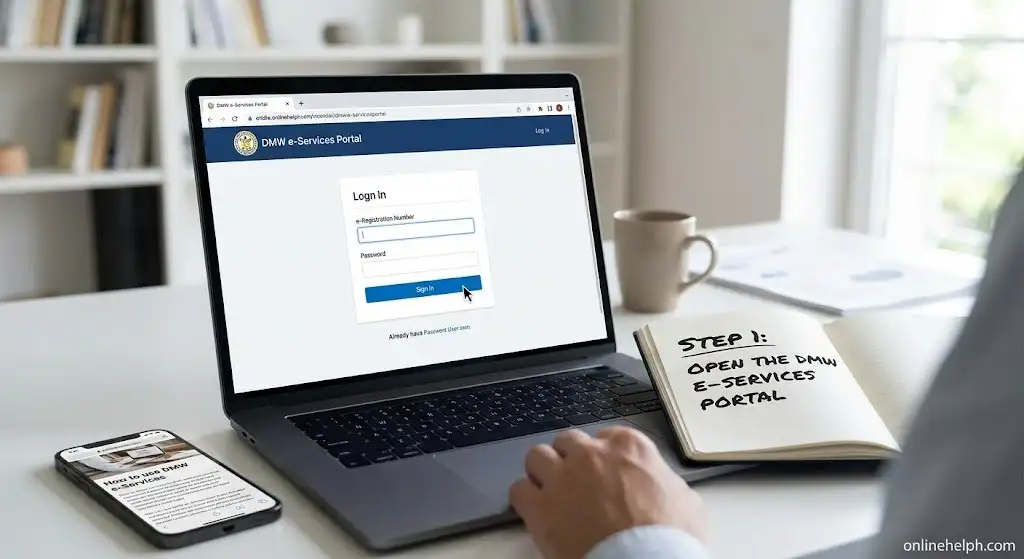
Step 1: Open the DMW e-Services Portal
Start by accessing the official DMW online services platform through your browser.
Step 2: Agree to the Terms and Privacy Statement
Before proceeding, the system will ask you to review its terms.

Step 3: Enter Your Personal Details
Your personal information should correspond with your official identification documents.
Provide your:

Important: Check your name and date of birth carefully before submitting the form. The information should match your passport exactly to help prevent problems such as duplicate profiles or account access issues.
Once everything has been reviewed, select Register and confirm the information when prompted.
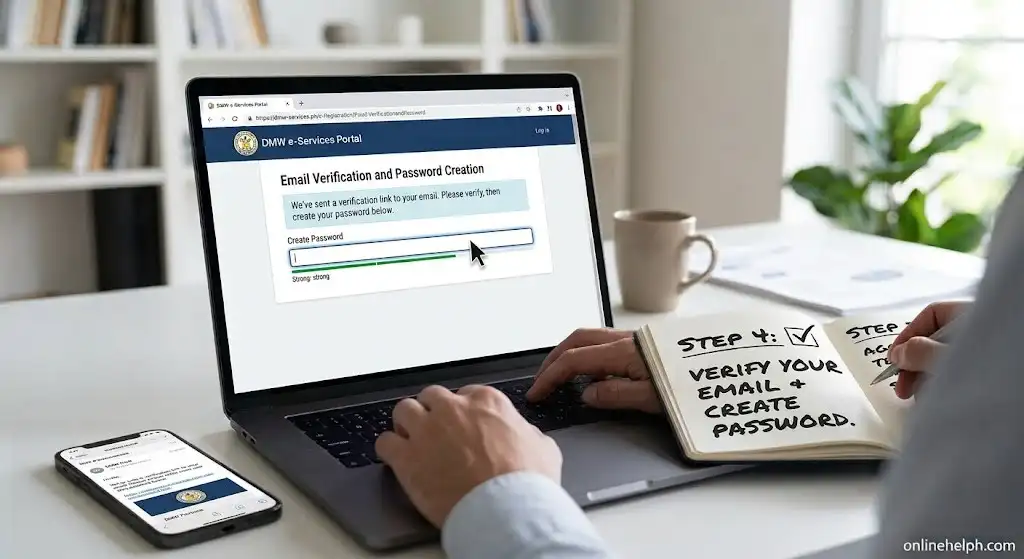
Step 4: Verify Your Email and Create a Password
After submitting the registration form, check the email address you provided.
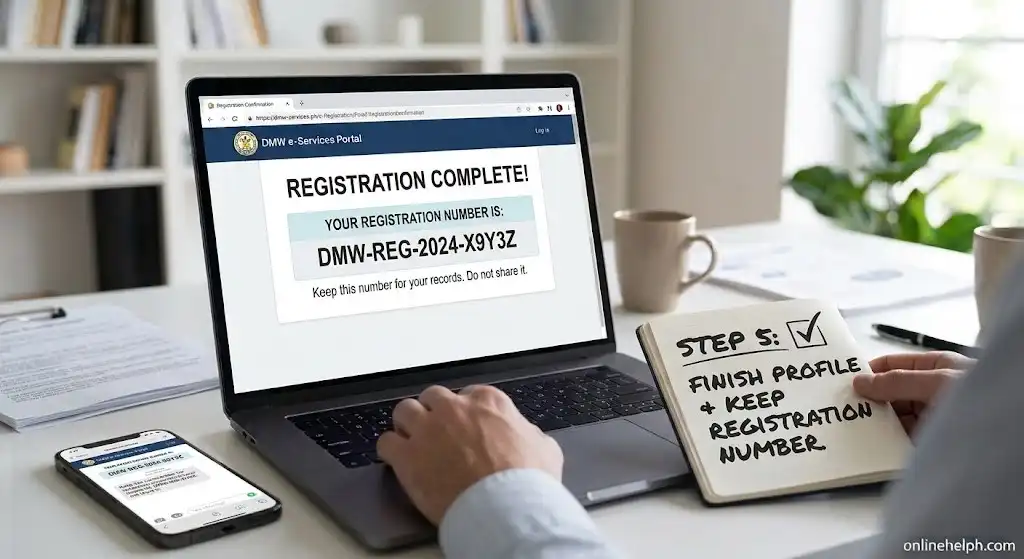
Step 5: Finish Your Profile and Keep Your Registration Number
Once your account is active, return to the DMW dashboard and complete the remaining profile information.
Tip: Keep your SRN and login information accessible. They may be useful when you return to your DMW account for future overseas employment-related transactions.
DMW eRegistration Requirements: What Should You Prepare?
There is no single document checklist that applies to every overseas employment situation. Your registration begins with basic account information, while additional information may be required depending on the employment process you are pursuing.
The current DMW registration page asks for details such as your name, birth date, gender and an active email address.
Information to Have Ready
Before starting, prepare the following where applicable:
| Information | Why it matters |
|---|---|
| First name | Used to identify your account |
| Middle name | Enter it when applicable |
| Last name | Should match your official records |
| Suffix | Provide one if applicable |
| Date of birth | Required during registration |
| Gender | Part of the registration information |
| Active email address | Used for account-related communication |
| Contact details | Helps maintain your worker profile |
| Identification details | Supports your employment record |
| Education | Forms part of your applicant profile |
| Work experience | Helps describe your employment background |
| Training | Records relevant skills and qualifications |
| Language proficiency | May be relevant to overseas employment |
| Job preferences | Helps describe the type of work you seek |
The exact documents you eventually need can depend on the particular overseas employment programme, country, position or recruitment route. DMW job postings, for example, may specify additional documentary requirements and may require original documents for verification.
Before You Register
Keep your official records nearby while completing the profile. This makes it easier to enter names, dates and other details correctly and reduces the risk of creating inconsistencies between your online information and your supporting documents.
How to Register for DMW eRegistration
The registration process starts online through the official DMW portal. Here’s a practical way to approach it.
1. Visit the Official Registration Page
Open the official DMW Account Registration page:
Open DMW online registration
The page is hosted on the portal.dmw.gov.ph government domain and is labelled as the DMW account registration service.
Before entering any personal information, check the domain carefully.
2. Review the Terms and Privacy Information
The registration page displays DMW’s terms of use and privacy information.
These terms explain the purpose of the e-Services Portal and the information collected during registration. DMW also requires applicants to provide truthful and complete registration information and to keep their registration data updated.
Read the conditions before accepting them.
3. Enter Your Basic Details
The registration form currently includes fields for:
Enter the information carefully rather than relying on memory, particularly for your name and date of birth.
4. Set Up Your Account Password
Once the registration process asks you to establish account credentials, choose a password that only you can access.
The DMW terms place responsibility on the account holder for keeping their password confidential. Users are also instructed to notify DMW if they believe their account or password has been compromised.
Never give your DMW password to another person simply because they claim they need it to process your application.
5. Build Your Worker Profile
After establishing the account, provide the additional information requested for your DMW Worker Profile
Depending on the service or employment route, this can include your contact information, beneficiaries, job preferences, identification, education, work experience, training and language proficiency.
Take a moment to review every section before moving forward.
6. Keep Your Information Updated
Your DMW registration is not something you should treat as a one-time data entry exercise.
The DMW terms require users to maintain registration information so that it remains true and complete. If important information changes, use the appropriate DMW procedure for updating your record.
DMW eRegistration Login: How to Access Your Account
Once you have an account, you can access the DMW online portal through the official login page.
DMW Login Portal
The current login page provides fields for your registered email address and password. It also includes options for users who need to recover their account.
Basic Login Process
The current DMW portal also provides an Account Recovery facility for users who need to reset access or have forgotten their registered email.
What Information Does DMW eRegistration Collect?
Your DMW Details profile can contain several categories of information because the system is intended to support overseas employment services rather than simply create a username and password.
According to DMW’s registration terms, the information may cover:
Personal and contact information
Basic identifying details and ways DMW can communicate with you.
Beneficiary information
Information relating to beneficiaries included in your profile.
Employment preferences
Details about the type of overseas work you are interested in.
Identification and licences
Relevant identification and professional or other licences.
Education and training
Your academic background and applicable training records.
Work experience
Information about previous employment and professional experience.
Language proficiency
Languages and relevant proficiency information.
DMW states that these records may be used in overseas employment-related processes, including contract processing, recruitment, placement and job matching.
Why Your DMW Registration Details Matter
A small spelling mistake might seem harmless, but inconsistencies can become inconvenient when your online information needs to be compared with supporting documents.
For this reason, use the same accurate information shown on your official records wherever the registration system requires it.
DMW’s terms specifically require users to provide true and complete information and promptly update registration data when necessary.
Keep These Details Consistent
Before submitting or updating your profile, check:
If you discover that information needs correction, use the relevant DMW support or account-update process rather than creating another account unnecessarily.
DMW eRegistration and Overseas Job Applications
Having an Online application account does not mean that every overseas job application is automatically completed.
Different recruitment routes can have additional requirements. For example, DMW government-to-government recruitment notices may require applicants to register online, secure an appointment and present specific documents in person.
Likewise, the DMW’s free Pre-Employment Orientation Seminar (PEOS) service uses DMW Application process credentials and provides information about overseas job application procedures, documentary requirements, fees and protection against illegal recruitment.
Official DMW PEOS Online
So, treat Application form as an important part of the wider overseas employment process, not as a guarantee that all remaining requirements have been completed.
DMW eRegistration vs OFW Pass
These terms are sometimes mixed together, but they refer to different parts of the DMW online-services ecosystem.
Digital OFW Pass is primarily concerned with creating and maintaining your worker registration record.
The OFW Pass is associated with overseas employment documentation and verification services. The DMW portal lists OFW Pass and other OFW-related services separately.
If you are specifically looking for DMW OFW Pass, start with the DMW registration or online portal rather than assuming that every OFW digital service uses the same application.
Common DMW eRegistration Problems to Avoid
Most registration problems are easier to prevent than to fix.
1. Using an unofficial website
Search results and social media can contain third-party pages that look similar to government services. Always check that you are using an official DMW domain before entering personal information.
2. Entering inaccurate information
Do not guess your name, date of birth or other important details. DMW requires users to provide truthful and complete information.
3. Using an inaccessible email
Use an email account that you can access. DMW may use contact information for application-related communications.
4. Sharing your password
Your login credentials should remain private. DMW’s terms specifically prohibit sharing your password with third parties.
5. Creating unnecessary duplicate accounts
If you have forgotten your login details, check the official recovery options before attempting to start over.
DMW Account Recovery
DMW eRegistration Safety Checklist
Before finishing your online registration, run through this short checklist:
This simple check can prevent avoidable account and information problems later.
How to Update Your DMW eRegistration Profile
Your information may change after you create an account. You might need to update your contact details, correct personal information, change your employment information, or modify other parts of your worker profile.
DMW requires registered users to keep their information truthful, accurate and complete. Before making an update, compare your account information with your official records so that corrections are made accurately.
Pay particular attention to:
If a requested correction involves sensitive information or supporting documents, follow the official DMW procedure rather than attempting to bypass the required verification process.
When Should You Contact the DMW Helpdesk?
Some account problems cannot be fixed through the standard login or recovery screens. In these cases, the DMW DMW Support Helpdesk is the appropriate channel for assistance.
According to the DMW Citizen’s Charter, Helpdesk services can cover concerns such as:
The Citizen’s Charter also distinguishes between simple and complex concerns. Some complex requests may require supporting documents before the correction can be processed. For online clients, the relevant Helpdesk ticket is filed through the DMW Online Helpdesk System, with the stated processing time for the applicable simple transaction being three working days.
Can You Use DMW eRegistration on the Mobile App?
Your DMW Mobile eRegistration credentials can also be used with the DMW Mobile App.
According to DMW’s official FAQ, existing users can sign in to the mobile application using the same email address and password they use for Mobile eRegistration through the DMW Online Services Portal. First-time mobile users may also need to provide their mobile number and complete OTP verification.
Official DMW Mobile App Information: DMW Mobile App FAQ
First-Time Mobile App Login
The initial mobile verification process can involve:
DMW may change the screens or prompts as its digital services are updated, so follow the instructions displayed by the official application when you log in.
Is DMW eRegistration Free?
Creating a DMW Registration charges account is presented by DMW as an online registration service. However, this should not be confused with saying that every service available through the wider DMW system is free.
Different overseas employment transactions may have their own requirements, charges or processing arrangements. The broader DMW e-Services environment covers various functions, including overseas employment registration, OEC-related services, processing fees and transaction-status verification.
Important: Be cautious if someone asks you for money simply to create your DMW account. Start with the official DMW portal and check the requirements and charges for the specific service you actually need.
DMW eRegistration for First-Time OFW Applicants
For someone preparing to work abroad for the first time, creating a DMW eRegistration for New OFWs account is an important part of the wider process, but it is not the same as receiving a job offer or approval for deployment.
DMW identifies First-Time OFW Registration as a facility for Filipino worker-applicants seeking overseas employment through DMW-licensed recruitment agencies or the Government Placement Branch (GPB).
Therefore, simply completing your online registration does not automatically mean that you have:
The next steps depend on your employment pathway and the particular DMW service involved.
PEOS Online for Prospective OFWs
If you are researching overseas employment, DMW also provides Pre-Employment Orientation Seminar (PEOS) Online.
The official PEOS service provides information about overseas job application procedures, documentary requirements, costs and precautions against illegal recruitment.
Official PEOS Online: Visit DMW PEOS
Protecting Your DMW eRegistration Account
Your DMW profile may contain personal, educational, employment, identification and other information. That makes account security an important part of managing your registration.
DMW’s registration terms indicate that the e-Services Portal can contain information such as personal details, beneficiaries, contact information, job preferences, identification and licences, education, work experience, training and language proficiency.
Users are responsible for protecting their account credentials and should notify DMW if they become aware of unauthorised account use or a security breach.
DMW Account Security Checklist
Use these precautions when accessing your account:
The DMW portal also advises users to exit their account after each session and keep their User ID and password secure.
FAQS
Conclusion
Setting up a DMW Account Registration account is an important first step for Filipinos preparing for overseas employment. Using the official DMW portal, applicants can submit their personal details, verify their account, build their worker profile, and keep their information up to date. Taking care with each entry can help prevent avoidable issues later.
It’s also important to understand that DMW Registration System is only one part of the overseas employment process. Creating an account does not mean you have been hired, approved for deployment, or issued an OEC. The requirements that follow can differ depending on your employer, recruitment pathway, job, and the DMW service you need.