The Sumbong sa Pangulo website gives the public an online way to review listed flood control projects and report concerns about projects in their communities. The official portal displays project information such as the project description, location, contractor, project cost, and completion date. It also provides a reporting form where users can submit a message and, optionally, attach photo or video evidence.
Official Sumbong sa Pangulo Website
This guide explains how to use the Sumbong sa Pangulo website, how to find a project, what information is available before making a report, how to submit supporting evidence, and what to expect after submission.
Quick answer: Visit the official Sumbong sa Pangulo portal, search or filter the listed flood control projects, open the relevant project, review its details, and use the Report option if you have a specific concern. The reporting form includes a category, optional name, email and contact number, a message field, and optional photo or video proof. visit Homepage for more
What is the Sumbong sa Pangulo website?
The Sumbong sa Pangulo website is an online public-reporting portal focused on flood control projects. Its current interface presents a list of flood control projects and allows visitors to search, filter, inspect project information and report concerns.
The portal is particularly useful when you want to check whether a flood control project is listed in your area before submitting a report.
The project table can show:
The official website also includes filtering tools for region, province/city, type of work and funding year.
Why check the project information first?
Before submitting a complaint or concern, reviewing the available project details can help you identify the correct project. This is especially useful if several flood control projects exist within the same province, city or nearby communities.
For example, the current portal lists projects from locations including Agusan del Norte, Bataan, Cebu, Cotabato, Nueva Ecija, Tarlac, Manila and other areas. The displayed records include contractor and cost information alongside the project description.
What can you do on the portal?
The Sumbong sa Pangulo website currently provides several functions related to project information and reporting.
| Portal feature | What it allows you to do |
|---|---|
| Project list | View listed flood control projects |
| Search | Look for project information |
| Region filter | Narrow projects by region |
| Province/City filter | Find projects in a particular area |
| Type of Work filter | Narrow results by project type |
| Funding Year filter | Filter projects according to funding year |
| Interactive map | Explore flood control projects geographically |
| Report | Submit a concern about a project |
| Photo/video upload | Add supporting visual evidence |
| Feedback | Share your experience with the portal |
These functions are visible on the official portal.
How to Find a Flood Control Project on Sumbong sa Pangulo
You do not necessarily need to submit a report immediately. A better starting point is to locate the project and examine the information shown by the portal.
Step 1: Open the official Sumbong sa Pangulo website
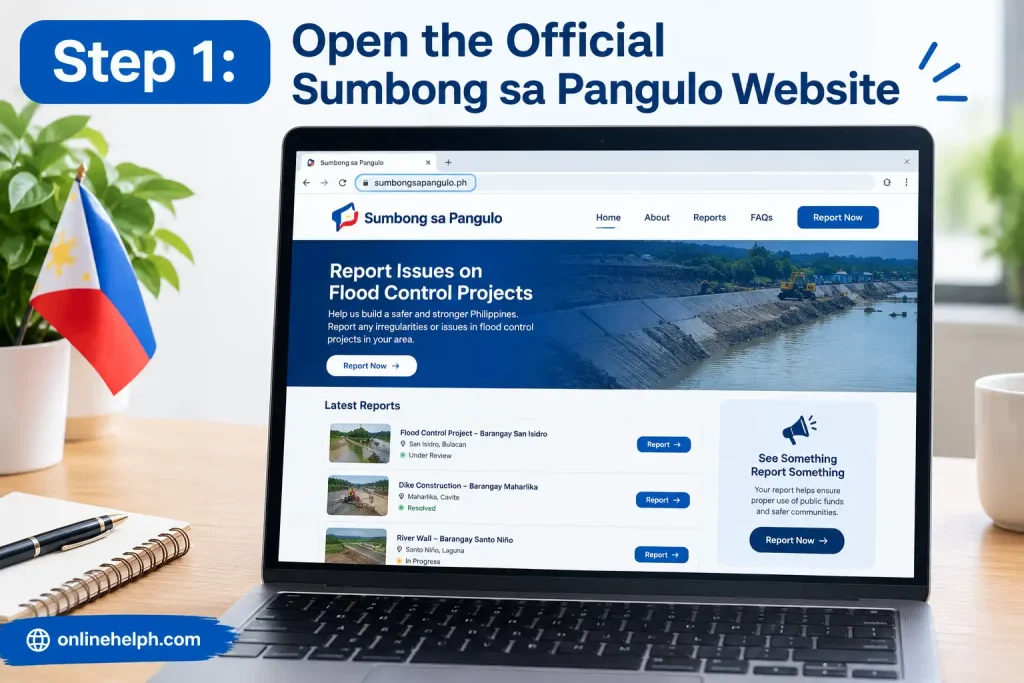
Go directly to:
Use the official domain when accessing the portal. Avoid relying on unofficial pages that claim to provide access to the Sumbong sa Pangulo system.
Once the website opens, you should see the List of Flood Control Projects section.
Step 2: Search the project list
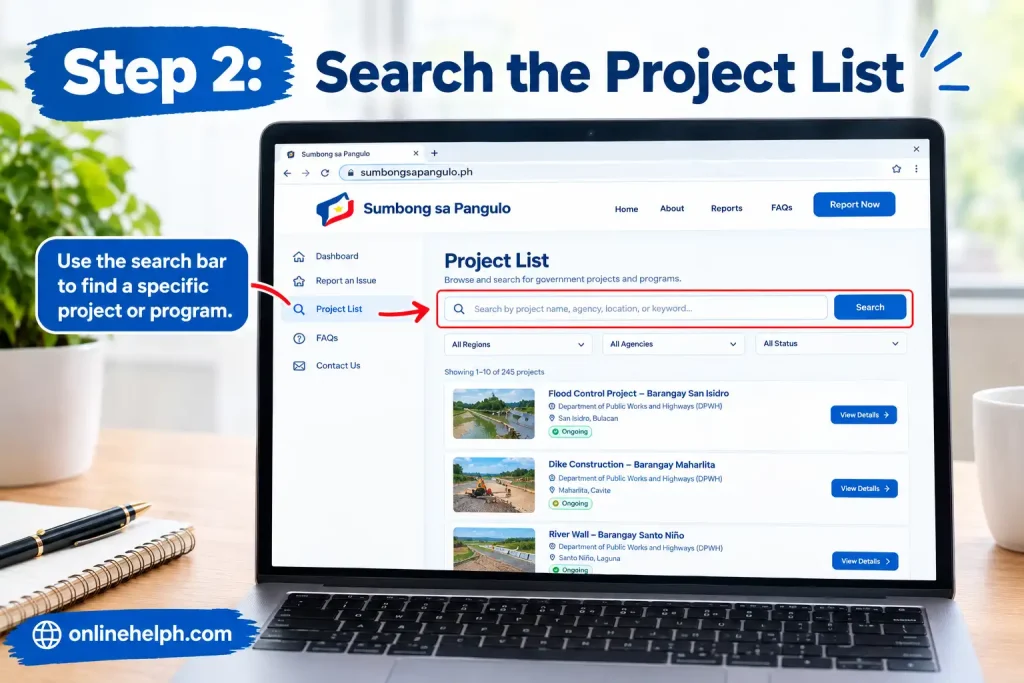
The project section includes a search field as well as filtering controls.
You can use the available filters to narrow the results by:
After selecting the relevant criteria, use Search. If you need to remove your selections, the page also provides a Reset option.
Tip: If you know the exact location of the project, begin with the province or city filter. This can make a long project list easier to review.
Step 3: Review the project details
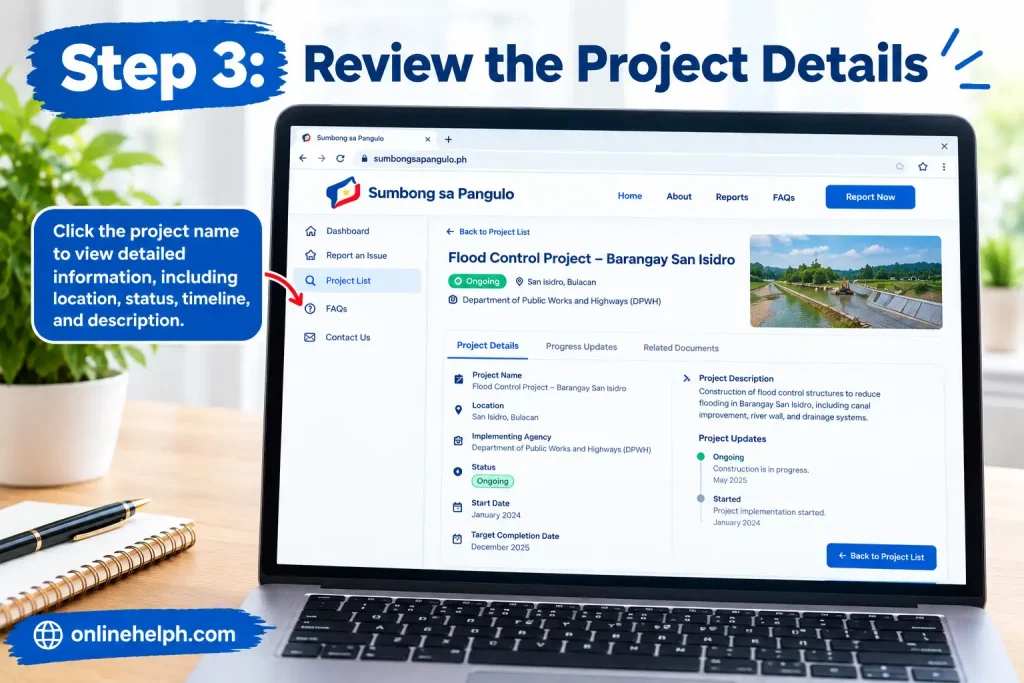
The project list presents several important fields.
For each listed project, you may see:
The official website currently displays these fields in its project table.
Take a moment to compare the listed information with what you can actually observe in your community.
How to Check Projects Using the Interactive Map
The Sumbong sa Pangulo website also provides an interactive map option for checking flood control projects.
The portal asks visitors whether there is a flood control project in their area and provides an option to open the interactive map.
Step 4: Open the interactive map
From the official portal, locate the section asking:
“May flood control project ba sa inyong lugar?”
Select the option to open the interactive map.
The map can be useful when you are more familiar with the project’s location than its formal project name.
Step 5: Match the project to your area
When checking a project, compare the information available on the portal with the location you are investigating.
Pay attention to:
This helps reduce the chance of reporting the wrong project.
When Should You Use the Report Function?
The Report function is intended for concerns about listed flood control projects.
The official portal specifically invites reports involving concerns such as damaged structures, missing equipment or work that has not been completed.
A report should therefore focus on something you can describe clearly and accurately.
Examples of information worth documenting
If you notice a potential issue, gather relevant details such as:
Avoid making claims that you cannot support. A clear description of what you personally observed can make your report easier to understand.
How to Submit a Sumbong sa Pangulo Report
Once you have identified the relevant project and understand the concern, you can proceed to the reporting section.
Select the Report option
The project list contains a Report button associated with listed projects.
Select the report option connected with the project you want to raise a concern about.
The reporting interface contains several fields. Some information is optional, while the category and message are part of the reporting form.
Choose the report category
The form includes a field labelled Category and marks it as required.
Select the category that most closely describes your concern.
Choosing an appropriate category matters because it gives context to your submission and helps distinguish the nature of the issue you are reporting.
If you are uncertain about a category, read the available options carefully before selecting one rather than choosing an unrelated category.
Enter your name, email and contact number
The reporting form provides fields for:
The portal marks these fields as optional.
That means the form does not require these particular details according to the current interface.
If you choose to provide contact information, make sure the information is accurate. This can be useful if the reporting process requires additional information from you.
Write a clear report message
The Message field allows up to 5,000 characters, according to the current portal interface.
A useful report should explain the issue without unnecessary wording.
A practical format is:
Location:
State where the project is located.
Project:
Identify the project as accurately as possible.
Concern:
Describe what you observed.
Details:
Explain what appears incomplete, damaged, missing or otherwise concerning.
Supporting information:
Mention relevant photos or videos if you intend to attach them.
Example structure
I am reporting a concern regarding the flood control project located in [location]. The project appears to have an issue involving [specific observation]. I observed this on [date/time if relevant]. Photos/videos are attached to document the condition.
This is only a writing example. Your report should contain your own accurate observations.
Upload Photo or Video Proof
The Sumbong sa Pangulo reporting form includes an option to upload photo or video proof. The upload is optional. The portal currently states that the maximum size is 10 MB per file.
Supporting media can help explain a physical condition that is difficult to describe in words.
Before uploading evidence
Check that:
Do not alter visual evidence in a way that could misrepresent what was observed.
What Should You Include in Photo or Video Evidence?
Good supporting material should help someone understand the issue without having to guess what they are looking at.
For example, depending on the situation, you might document:
If the problem is not obvious from a close-up photograph, consider including a wider view that establishes where the issue is located.
Important: Only submit information that you can reasonably support. The purpose of the report is to communicate an observed concern, not to make an unsupported accusation.
Review the Report Before Submission
Before selecting Submit, check your information one final time.
Sumbong sa Pangulo report checklist
A short but precise report is generally easier to understand than a long message containing unrelated information.
Submit the Report
Once the information is ready, select the Submit button on the reporting form.
The current portal can display a confirmation message stating:
“Report submitted successfully.”
This confirms that the submission process has been completed through the portal interface.
What Happens After a Report Is Submitted?
The official Sumbong sa Pangulo website states that reports are reviewed and investigated to help ensure proper use of public funds and accountability for violations.
It is important to distinguish between submitting a report and establishing that wrongdoing occurred. A submitted report communicates a concern for review; it is not, by itself, a finding that a contractor, project or individual violated a rule.
For that reason, provide factual details and supporting evidence whenever possible.
Can You Give Feedback About the Website?
Yes. The portal also includes a separate feedback area asking visitors about their experience. It provides several reaction options and another message field with a 5,000-character limit.
This is different from reporting a flood control project.
Use the Report function when you are submitting a project-related concern. Use the feedback function when you want to comment on your experience with the website or portal
Important Things to Remember
The Sumbong sa Pangulo website is most useful when you approach reporting carefully.
1. Identify the correct project
Several projects can exist in the same province or city. Check the project description and location before submitting.
2. Describe observations, not assumptions
Explain what you saw, where you saw it and why you believe it requires attention.
3. Use supporting evidence when available
The portal accepts optional photo or video proof, with a current maximum size of 10 MB per file.
4. Keep your message focused
The reporting form allows up to 5,000 characters, so there is enough space to provide meaningful context without filling the message with unrelated information.
5. Check the official website directly
For the current interface and available reporting options, use the official Sumbong sa Pangulo domain:
Sumbong sa Pangulo Official Portal
Sumbong sa Pangulo Reporting Process Explained
A useful way to think about the reporting process is:
Identify → Check → Document → Report → Submit
The first two stages help you identify the correct project. Documentation gives context to your concern, while the online form is where you formally send the information through the portal.
The official website describes its reporting section as a place to notify the portal about concerns involving flood control projects, including damaged structures, insufficient equipment or unfinished work.
What information should you prepare?
Before opening the report form, gather the information you already have.
| Information | Why it helps |
|---|---|
| Project location | Helps identify where the concern occurred |
| Project description | Helps distinguish the project from others |
| Type of work | Provides additional project context |
| Observed problem | Explains why you are submitting the report |
| Date of observation | Adds useful timing information |
| Photos/videos | Can visually document the reported condition |
| Optional contact details | Provides additional information if you choose to provide them |
You do not need to turn the report into a lengthy statement. The goal is to communicate the relevant facts clearly.
How to Write a Sumbong sa Pangulo Report
One of the most important parts of the Sumbong sa Pangulo website is the message field. The current form provides up to 5,000 characters.
That gives you enough room to explain a complicated situation, but more space does not mean every report needs to be long.
A strong report normally answers four basic questions:
Example reporting structure
You can organise your message like this:
Project location:
State the city, municipality, province or more specific location you know.
Project identification:
Include the project description shown on the portal when possible.
Concern:
Describe the condition or issue you personally observed.
Additional details:
Add relevant dates, circumstances or other information.
Evidence:
Explain that photographs or videos have been attached, if applicable.
This structure keeps the report easy to follow without making unsupported conclusions.
Be Precise When Describing a Concern
Suppose you believe a flood control structure has been damaged.
Instead of making a broad statement about who is responsible, describe what you can actually see.
For example:
“The section of the structure near [location] appears damaged. The affected area is visible in the attached photographs.”
This is more useful than making a conclusion that you cannot establish from your own observation.
Likewise, if you believe a project is incomplete, explain which portion appears unfinished and where it is located.
The Sumbong sa Pangulo website is intended to receive reports for review and investigation, so factual descriptions and relevant supporting material are important.
The portal itself says submitted reports are carefully reviewed and investigated.
Sumbong sa Pangulo Photo and Video Evidence
The reporting form provides an optional upload feature for photo or video proof. The current portal states that each file can be up to 10 MB.
Visual evidence can be useful when the issue is difficult to explain with text alone.
What makes useful supporting evidence?
When taking photographs or videos, try to capture enough context for another person to understand what is being shown.
A useful photograph may show:
A close-up can show the actual problem, while a wider image can establish where that problem occurs.
For video evidence
If you are recording a video, avoid unnecessary footage. Move slowly enough that the relevant condition can be seen clearly and, where appropriate, provide a brief explanation of what the video shows.
Tip: Keep the original files where possible. If you need to provide additional information later, having the original material can be useful.
How to Upload Proof on the Portal
Step 1: Open the report form
From the official project listing, select the Report option associated with the relevant project. The portal provides a Report button alongside its project records.
Open Sumbong sa Pangulo
Step 2: Select your category
The Category field is marked as required. Select the option that best matches the concern you are reporting.
Step 3: Enter optional personal information
The form provides optional fields for:
These fields are explicitly labelled optional in the current interface.
Step 4: Write your message
Use the message box to explain the issue.
The portal currently displays a 0 / 5000 character counter, indicating a 5,000-character limit.
Step 5: Add photo or video proof
Select the upload option labelled for photo or video proof and attach your relevant file.
Remember that the current website states a maximum of 10 MB per file.
Step 6: Check everything
Before submitting, make sure:
Step 7: Select Submit
Once you are satisfied with the information, select Submit.
The portal can display the confirmation message “Report submitted successfully” after submission.
What If You Cannot Find Your Project?
Not every situation requires immediately submitting a report.
If you cannot find the project, try using the available search and filters again.
The Sumbong sa Pangulo website currently provides filters for:
It also provides a Search button and Reset option.
Try this sequence:
First: Search using the location you know.
Second: Narrow the results using Region or Province/City.
Third: Check the Type of Work if you know what kind of project it is.
Fourth: Try the relevant Funding Year.
Finally: Reset the filters and search again if the results appear too narrow.
The portal also provides an interactive map for people who want to investigate whether a flood control project exists in their area.
Using the Interactive Map
The map is another useful feature of the Sumbong sa Pangulo website.
The homepage currently asks visitors:
“May flood control project ba sa inyong lugar?”
It then provides an option to open the interactive map.
This can be particularly useful when you know the physical location of a project but do not know its official project description.
A practical approach
Start with the area you want to check, locate the project on the map, and then compare it with the project records shown in the portal.
If the project information corresponds with what you see on the ground, record the relevant details before preparing your report.
Understanding the Project Information
The project table on the Sumbong sa Pangulo website contains several fields that can help users identify individual records.
The current interface displays:
Project Description | Location | Contractor | Cost | Completion Date
It also provides a Report button for project records.
This information is useful when preparing a report because you can refer to the project description rather than describing the project only in general terms.
For example, a project description may identify a particular river, barangay, road, bridge or drainage structure. The portal may also display the listed contractor, project cost and completion date.
Why the Project Cost and Completion Date Matter
The project information can provide useful context for someone reviewing a concern.
For instance, the portal currently displays a Cost field and Completion Date field for listed projects.
These details should not automatically be treated as evidence of a problem. Instead, they help you identify the exact project record you are discussing.
If you submit a report, you can use the project information to make your message more precise.
Example
Instead of:
“There is a flood control project in our area that has a problem.”
You could identify the project using the description and location shown on the portal, then explain the specific condition you observed.
That gives the report much more useful context.
Common Mistakes to Avoid When Using Sumbong sa Pangulo
Using the Sumbong sa Pangulo website is straightforward, but a few avoidable mistakes can make a report less clear.
Mistake 1: Reporting the wrong project
If several projects are located in the same area, make sure the project description and location match what you are reporting.
Mistake 2: Providing vague information
A message such as “Please investigate this project” does not explain what the concern actually is.
Describe the specific condition you observed.
Mistake 3: Uploading unrelated files
Only upload photographs or videos that help document the issue described in your report.
Mistake 4: Making unsupported accusations
A report should distinguish between an observed condition and a conclusion about why it happened or who is responsible.
Describe the facts you know.
Mistake 5: Forgetting the location
A clear location is especially useful when the project covers a large area or when multiple projects are nearby.
Can You Submit a Report Without Providing Your Name?
The current reporting form labels Name, Email and Contact Number as optional.
Therefore, the portal interface does not require those three personal-information fields to be completed before submission.
However, the required Category field and the report Message remain part of the form.
If you decide to provide contact information, enter it carefully and only where appropriate.
Is Photo or Video Proof Required?
No. The current portal labels the photo/video upload option as optional.
You can therefore provide a written report without attaching visual evidence.
Even so, when a photograph or video can clearly document the condition you are reporting, it may provide useful context for the review.
The important point is relevance: supporting evidence should correspond to the concern described in your message.
What Happens After You Click Submit?
After submitting a report, the website can show:
“Report submitted successfully.”
The portal states that reports are carefully reviewed and investigated.
A confirmation that your report was submitted should therefore be understood as confirmation of submission, rather than a determination that the reported issue has already been established.
This distinction is important. The reporting system provides a channel for raising concerns; investigation is a separate process.
Sumbong sa Pangulo vs Website Feedback
The homepage contains two different ways for users to interact with the portal.
Report
Use the Report function when you want to raise a concern about a flood control project.
Feedback
The site also asks:
“How was your experience?”
The feedback section includes reaction options and a separate message field that can accept up to 5,000 characters.
This is intended for sharing your experience with the website rather than replacing a project report.
If your concern is about a specific flood control project, use the reporting function rather than submitting it only as general website feedback.
A Simple Sumbong sa Pangulo Checklist
Before sending your report, run through this checklist:
Project
Report
Evidence
Submission
Official Sumbong sa Pangulo Website
For the current project database, filters, interactive map and reporting form, use the official portal:
Sumbong sa Pangulo Official Website
The official website is the appropriate place to check the current interface because fields, project records and portal features can change over time. The current page confirms the project search/filter system, interactive map, reporting form, optional uploads and submission confirmation
FAQS
Strong Conclusion
The Sumbong sa Pangulo website provides a direct online channel for citizens who want to raise concerns about flood control projects in their communities. Instead of relying only on general complaints, users can first search the project database, review available details such as its location, contractor, cost and completion date, and then submit a specific report through the official portal.
When making a report, accuracy matters. Clearly explain what you observed, identify the relevant project, select the appropriate category and provide supporting photographs or videos when available. The current portal also allows users to leave their name, email and contact number optional, giving users flexibility when completing the reporting form.
Most importantly, use the Sumbong sa Pangulo website responsibly. A report should describe genuine concerns and be based on information or conditions that can reasonably be supported. Once submitted, reports can be reviewed and investigated through the appropriate process.
For the latest project records, reporting options and portal features, always use the official website:
Read more
PNP-FEO System: Complete Guide to the New FEO Online System
PAIS Admin Portal: Complete Guide to PAISadmin PNP Login, Records and Payslip
eTravel Philippines: Complete Online Registration Guide
PSA CRS Appointment System: Complete Online Booking Guide
PNP FEO Online System: Complete Registration, License and Application Guide
BIR ORUS Online Registration and Update System: Complete Guide
Complete Guide to Senator Bong Go Assistance, eGovPH, and Online Applications