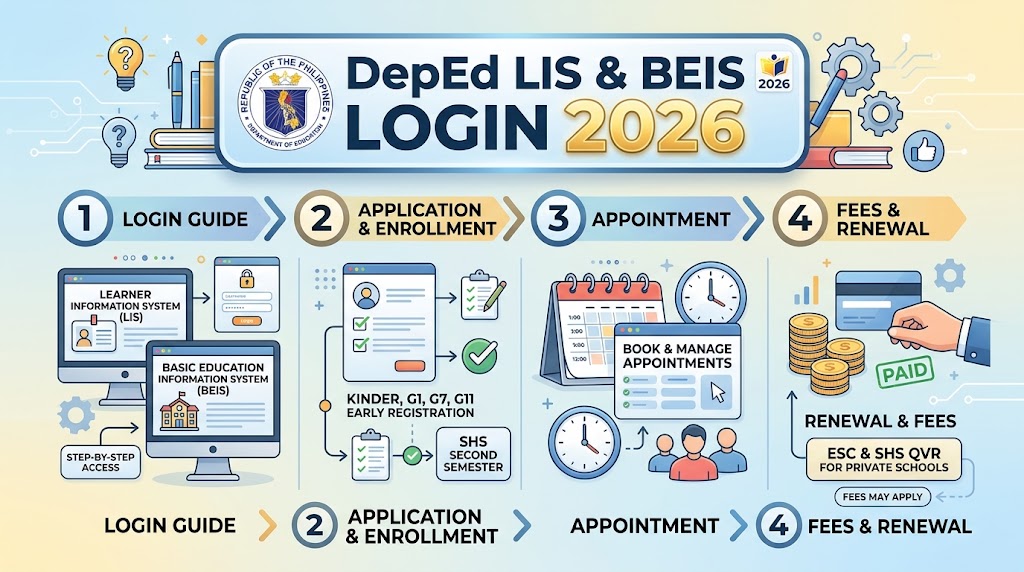
Learner Information System.is a web-based platform managed by the Department of Education (DepEd) in the Philippines for recording, organising, and updating learner information. It allows authorised school personnel to manage enrolment details, class assignments, learner profiles, transfers, academic records, and the 12-digit Learner Reference Number (LRN). Learner Information System. also supports important school-year processes, including Beginning of School Year (BOSY) and End of School Year (EOSY) updates, as well as the preparation of various school forms and reports..
What Is DepEd LIS?
Learner Information System. stands for Learner Information System. It is the DepEd platform used to maintain learner-related information and support the management of learner records throughout basic education.
The system is associated with the learner’s 12-digit Learner Reference Number (LRN) and provides authorised school personnel with tools for enrolment, learner profile management, class organisation, status updates and selected school forms.
The main purpose of DepEd Learner Information System. is to keep learner information organised and accessible to authorised users. According to DepEd’s guidelines, Learner Information System. maintains the registry of learners and supports systematic tracking and decision-making concerning learners. visit for homepage
What Can You Do in DepEd LIS?
Depending on your assigned role and available facilities, Learner Information System. may be used for:
- Learner enrolment
- LRN-related learner record management
- Class and section management
- Learner profile updates
- Transfer-related records
- Beginning of School Year (BOSY) activities
- End of School Year (EOSY) updating
- Learner tagging
- School form generation
- Other authorised learner information services
The exact facilities available can change according to the school year and DepEd’s current implementation schedule. The official Learner Information System. website currently publishes system announcements and facility-opening schedules.
What Is DepEd BEIS?
BEIS stands for Basic Education Information System. It works alongside Learner Information System. but has a broader focus on school-level information.
While Learner Information System. primarily deals with learner records, BEIS is used for information about schools, resources, personnel, facilities, enrolment statistics and other education-related data.
DepEd’s guidelines explain that BEIS is a web-based information system designed to improve information management at the school, division, regional and national levels.
Typical BEIS-related information can include:
- School profile information
- School classification
- Physical facilities
- Classrooms and furniture
- Water and sanitation facilities
- Teaching personnel
- Non-teaching personnel
- Learning resources
- Enrolment-related statistics
- Other school operational information
This distinction is useful: Learner Information System. is learner-centred, while BEIS is focused on broader school information and reporting.
DepEd LIS vs BEIS: What Is the Difference?
Many users search for Learner Information System. and BEIS together because the two systems are connected to school data management. However, they are not identical.
| System | Main Focus | Common Use |
|---|---|---|
| Learner Information System. | Learner information | Enrolment, LRN, learner profiles, classes and school forms |
| BEIS | School information | School profiles, facilities, personnel and statistics |
| EBEIS | Enhanced education information environment | School and education data management |
| LERIS | PRC professional services | Teacher licensing, examinations, renewal and verification |
A simple way to remember the difference is:
Learner Information System. = learner records
BEIS = school information
DepEd’s current Learner Information System. website also publishes updates covering both Learner Information System. and BEIS-related facilities, showing how closely the systems support school data operations.
DepEd LIS Login: Step-by-Step Guide
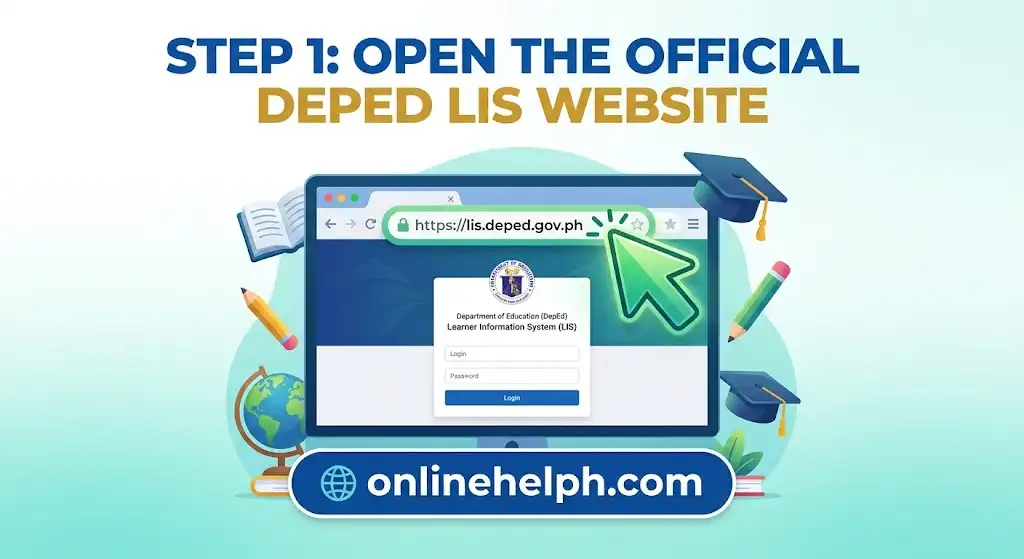
Step 1: Open the Official DepEd LIS Website
Open your preferred web browser and go to the official DepEd Learner Information System. portal. Make sure the website address is correct before entering any login information.
Official Learner Information System. Portal: Official site
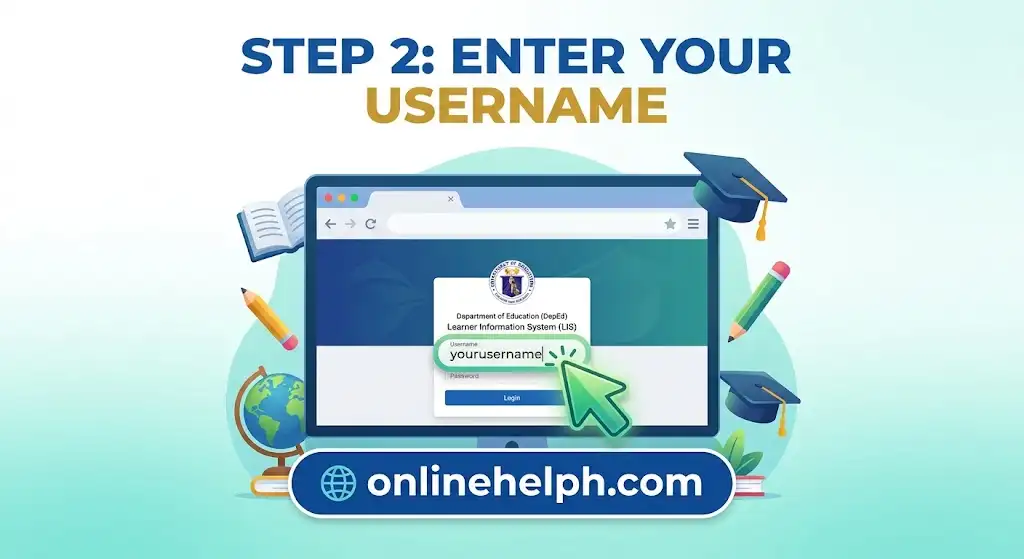
Step 2: Enter Your Username
On the Learner Information System. login page, find the Username field and enter the username assigned to your authorized account. Check the details carefully before continuing.
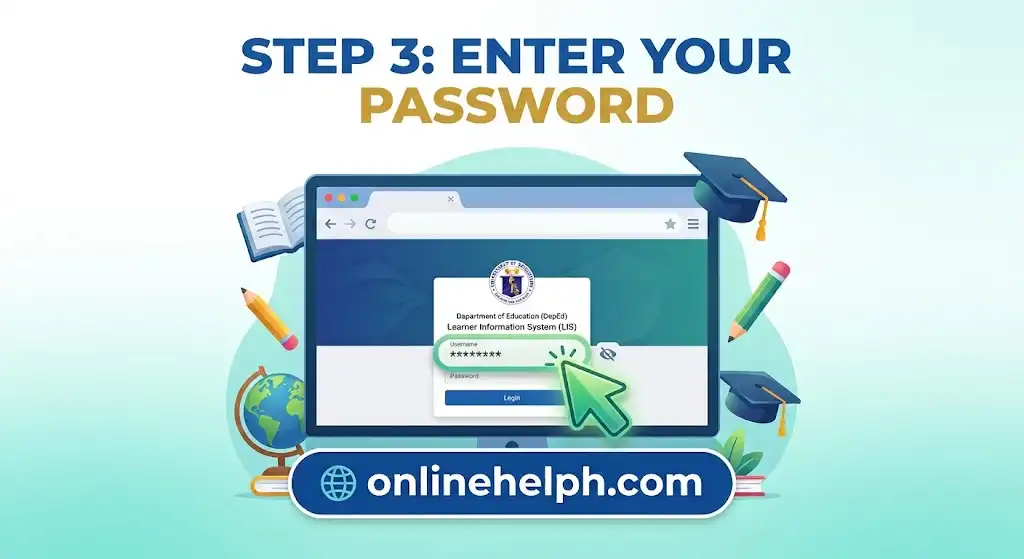
Step 3: Enter Your Password
Enter your current Learner Information System. password in the Password field. Make sure your password is typed correctly, as incorrect login details may prevent access to your account.
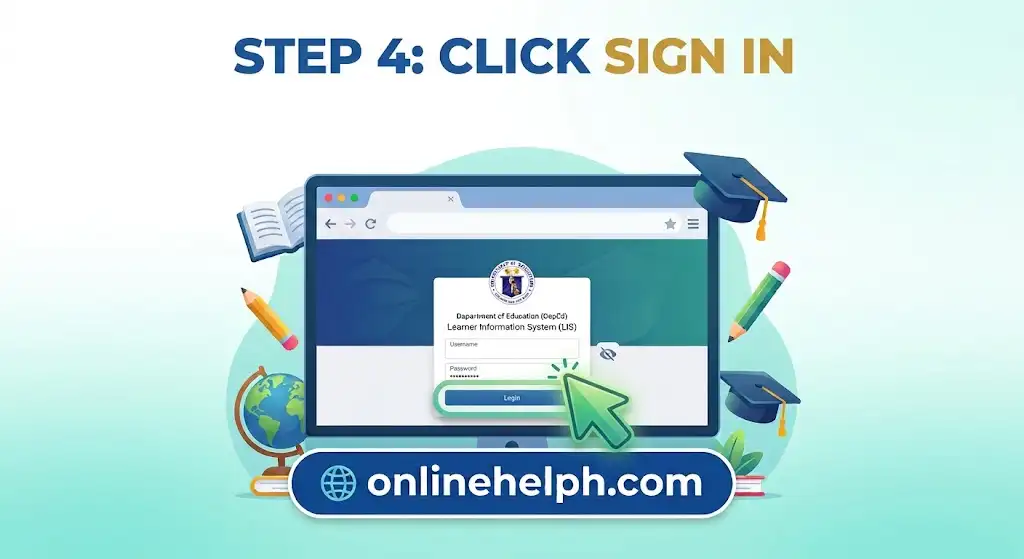
Step 4: Click Sign In
After entering your username and password, click the Sign In button to continue. If your credentials are correct, you should be taken to your DepEd Learner Information System. dashboard.
DepEd BEIS Login: Accessing the Official Portal
For school-level information and BEIS-related reporting, authorised users should use the official DepEd BEIS address:
DepEd BEIS Official Portal
Access is generally dependent on the account and role assigned to the user. A School Head, Planning Officer and other authorised personnel may have different responsibilities and system permissions.
Basic BEIS Login Process
- Open the official BEIS portal.
- Locate the login area.
- Enter your authorised account credentials.
- Submit the login form.
- Open the available school or reporting module.
- Select the applicable school year or facility when required.
If a particular menu does not appear after login, this does not necessarily mean that the system is broken. Your account may simply not have permission to access that facility.
Who Uses DepEd LIS and BEIS?
The systems are designed for authorised personnel involved in managing and reporting basic education information.
Class Advisers
Class Advisers may work with learner enrolment, class sections, learner updates and end-of-school-year information through Learner Information System..
LIS Coordinators
A School Learner Information System. Coordinator may oversee learner records, masterlists, correction requests, transfer-related concerns and school forms.
School Heads
School Heads have important responsibilities involving school-level validation, finalisation and reporting across Learner Information System. and BEIS.
Division Planning Officers
Division Planning Officers may be involved in validation, approvals, school profile management, user roles and other Division-level activities.
The exact functions depend on the account’s assigned permissions rather than simply the user’s job title.
DepEd LIS Learner Enrolment Guide
One of the most important uses of DepEd Learner Information System. is managing learner enrolment information.
The process can differ depending on whether the learner already has a record or is being processed as a new learner or transferee.
Enrolling Returning Learners
For returning learners, authorised school personnel may use the available batch-enrolment facility.
A typical workflow is:
- Sign in to the official Learner Information System. portal.
- Open the relevant class or section.
- Select the available Batch Enrol function.
- Review the learners carried over from the previous school year.
- Check their details carefully.
- Select the appropriate learners.
- Confirm the enrolment.
Before confirming, review the learner list against the school’s verified information. Incorrect enrolment data can create additional correction work later.
Enrolling New Learners or Transferees
For a new learner or transferee, the learner can be searched using available identifying information.
The source material describes using the learner’s 12-digit LRN, where available, or searching through the learner’s full name and birth date.
The general process is:
- Open the Enrol Learner function.
- Search using the LRN when available.
- If necessary, search by full name and birth date.
- Confirm that the selected learner profile belongs to the correct student.
- Enter the official enrolment date.
- Complete the required learner information.
- Save the record.
Depending on the applicable facility, information may include address, mother tongue, IP tagging, religion and 4Ps status.
Important: Never select a learner record simply because the name looks correct. Check the available identifying information before saving an enrolment.
Managing Classes and Sections in LIS
Before learners can be properly organised, schools need to establish their class and section structure.
For authorised users, the source material describes the following workflow:
- Log in to the official Learner Information System.portal.
- Open Learner Information System .of Classes.
- Select Create Class.
- Choose the appropriate grade level.
- Enter the section name.
- Assign the Class Adviser.
- Save the class.
The exact buttons or screen layout may change as DepEd updates the system, so use the current labels displayed in your account rather than relying solely on older screenshots or tutorials.
Understanding BOSY and EOSY in DepEd LIS
Two terms frequently encountered by Learner Information System. users are BOSY and EOSY.
BOSY means Beginning of School Year. This stage involves activities such as organising classes, enrolling learners and updating relevant learner information.
EOSY means End of School Year. It involves updating final learner statuses and completing the required school-year records.
The current DepEd Learner Information System. website shows that facility availability is tied to specific school years and dates. For example, its August 2026 announcements indicate that BOSY 2026–2027 encoding for Kindergarten to Grade 10 had been opened from July 13 through September 30, 2026.
That means users should always check the official Learner Information System. announcements before assuming that a particular facility is currently available.
Meta Data
- SEO Title: PRC License Renewal & LERIS Appointment Guide (2026)
- Meta Description: Step-by-step guide to renewing your PRC ID card, booking an online appointment via LERIS, preparing documents, and checking total processing fees.
- URL Slug: prc-license-renewal-leris-appointment-guide
- Suggested Primary Keyword: PRC license renewal LERIS
- Suggested Secondary Keywords: PRC online appointment, LERIS account renewal, PRC ID renewal fees, Continuing Professional Development PRC
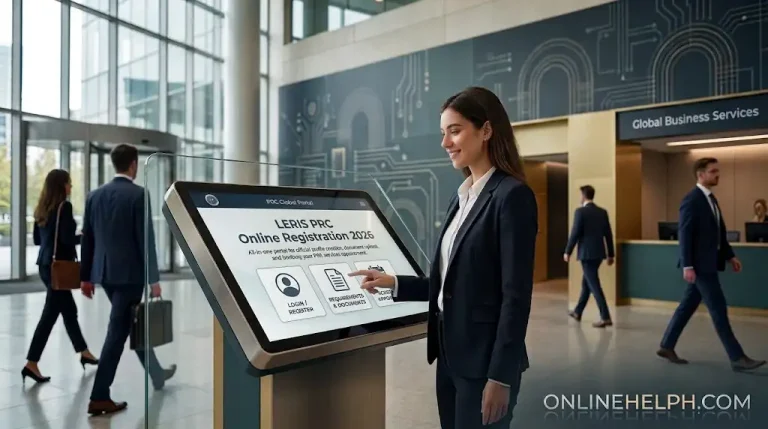
How to Renew Your PRC License
Gather these items before logging into the portal to ensure a smooth application process:
- Account Credentials: The registered email address and password for your PRC LERIS portal access.
- Registration Details: Your 7-digit PRC Professional License / Registration Number.
- Digital Passport Photo: A recent 2×2 photograph taken within the last six months. It must feature a plain white background, formal attire with a collar, and clear visibility of your face (no eyeglasses or tinted lenses).
- CPD Compliance Proof: Physical or digital certificates for your Continuing Professional Development (CPD) credits or a signed CPD Undertaking Form. (Note: First-time card renewers are exempt from presenting CPD points).
- Valid Identification: At least one government-issued photo ID matching the official name registered on your PRC account.
Essential Requirements Checklist
Gather these items before logging into the portal to ensure a smooth application process:
- Account Credentials: The registered email address and password for your PRC LERIS portal access.
- Registration Details: Your 7-digit PRC Professional License / Registration Number.
- Digital Passport Photo: A recent 2×2 photograph taken within the last six months. It must feature a plain white background, formal attire with a collar, and clear visibility of your face (no eyeglasses or tinted lenses).
- CPD Compliance Proof: Physical or digital certificates for your Continuing Professional Development (CPD) credits or a signed CPD Undertaking Form. (Note: First-time card renewers are exempt from presenting CPD points).
- Valid Identification: At least one government-issued photo ID matching the official name registered on your PRC account.
Step-by-Step Online Renewal Walkthrough
1. Sign In and Verify Your Profile
Visit the official LERIS website (online.prc.gov.ph) and log into your account. Before starting a transaction, navigate to your Profile tab to review your personal details, contact numbers, and residential address. Update your uploaded 2×2 picture if it no longer meets current PRC photo specifications.
2. Initiate the Renewal Request
Click Select Transaction on your account dashboard. Go to the Renewal section, select your specific profession from the dropdown menu, and enter your 7-digit PRC license number. Click Proceed to move forward.
3. Choose a Branch and Time Slot
Select your preferred PRC Regional Branch, extension site, or satellite office for picking up your renewed ID. You may select any operational branch nationwide regardless of where you originally registered. Pick an available date and time slot from the scheduling calendar. Where available, you may choose a shipping courier service if you prefer direct delivery to your address.
4. Settle the Payment
Select your preferred payment channel:
- E-Wallets: GCash or Maya
- Online Banking: LandBank Link.BizPortal or BancNet
- Over-the-Counter: Designated payment centers
Confirm the payment for your 3-year license validity period and retain a digital copy or printout of your transaction receipt and reference number.
5. Print Your Claim Documents
Navigate to Existing Transactions on your portal menu. Click Print Document to download your official PRC Renewal Application Form along with your Claim Stub.
On your designated appointment day, bring your signed application form, transaction receipt, expired PRC ID card, and relevant CPD documentation to the selected PRC site to receive your new card.
Conclusion
DepEd Learner Information System. and BEIS play an important role in managing learner records, school information, enrolment data, reporting, and other basic education processes in the Philippines. While Learner Information System. focuses mainly on learner information, LRN records, classes, enrolment, BOSY, and EOSY activities, BEIS provides broader school-level information such as facilities, personnel, resources, and statistics.
For a smooth DepEd Learner Information System. login or BEIS login, always use the official DepEd portals and your authorised account credentials. Before updating or submitting information, carefully verify learner and school details to avoid errors in official records. Since DepEd facilities, schedules, and system features can change by school year, users should also check official announcements for the latest updates.
Whether you are managing learner profiles, organising classes, completing enrolment, updating EOSY records, or handling school reporting, using the correct official system is essential. Learner Information System. and BEIS are not simply login portals—they are important tools for maintaining accurate, organised, and reliable education data across DepEd.